
Databricks Data Share
Introduction
Databricks enables seamless data sharing with Kubit through its Delta Sharing feature.
Delta Sharing
Delta Sharing is an open protocol developed by Databricks for secure data sharing across different organizations and platforms. As a Databricks user, you can act as a “data provider” to share data with external “data recipients.” This allows recipients to access the most current version of the shared data immediately.
Steps
Requirements
To utilize Delta Sharing, ensure you have configured a Databricks Metastore and Catalog.
Configure Delta Share
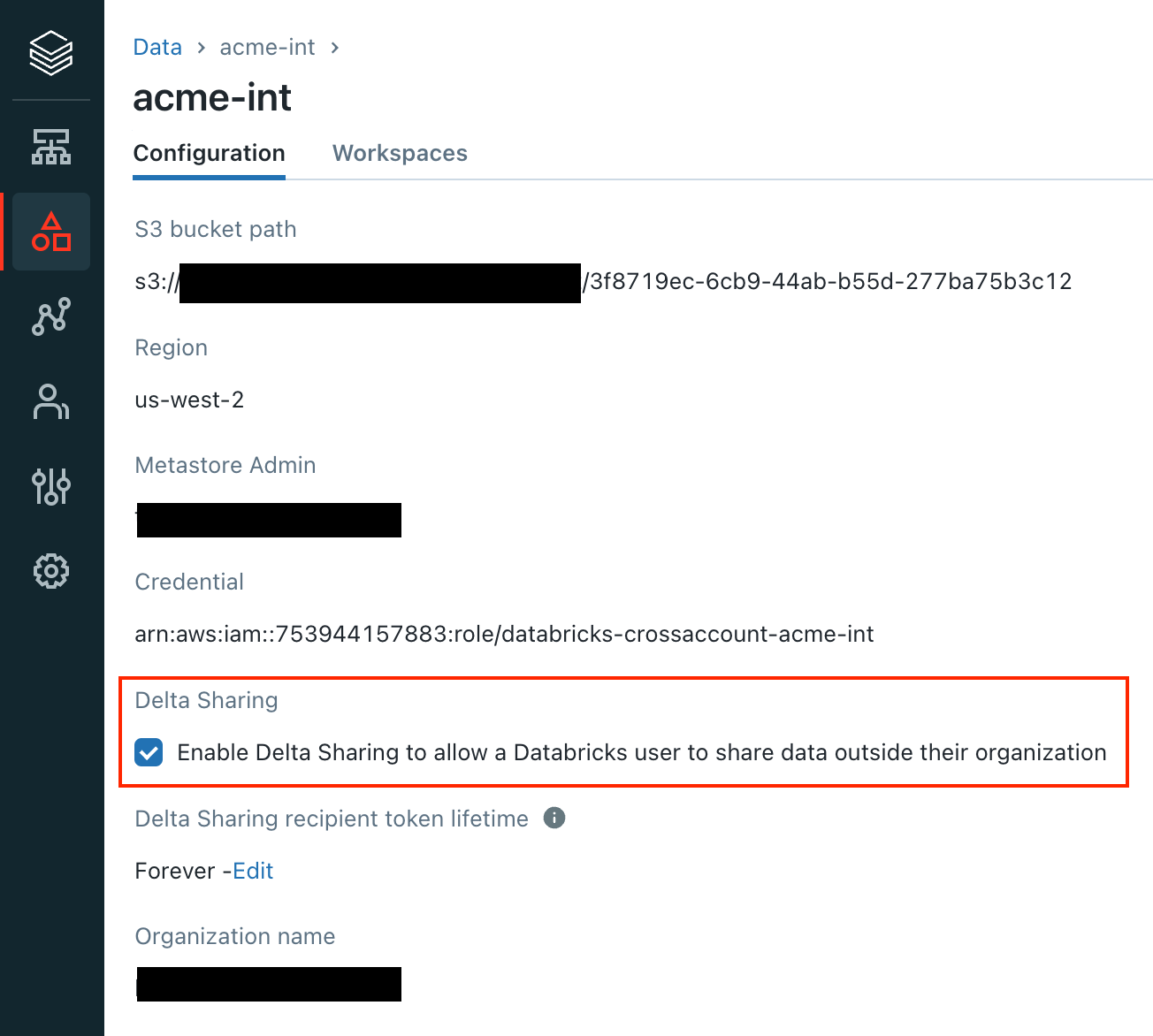
Access Your Metastore: Log into your Databricks account, select the metastore linked to your workspace, and enable Delta Sharing. Choose the token lifetime and organization name as needed. Note that Databricks to Databricks sharing does not require token authentication.
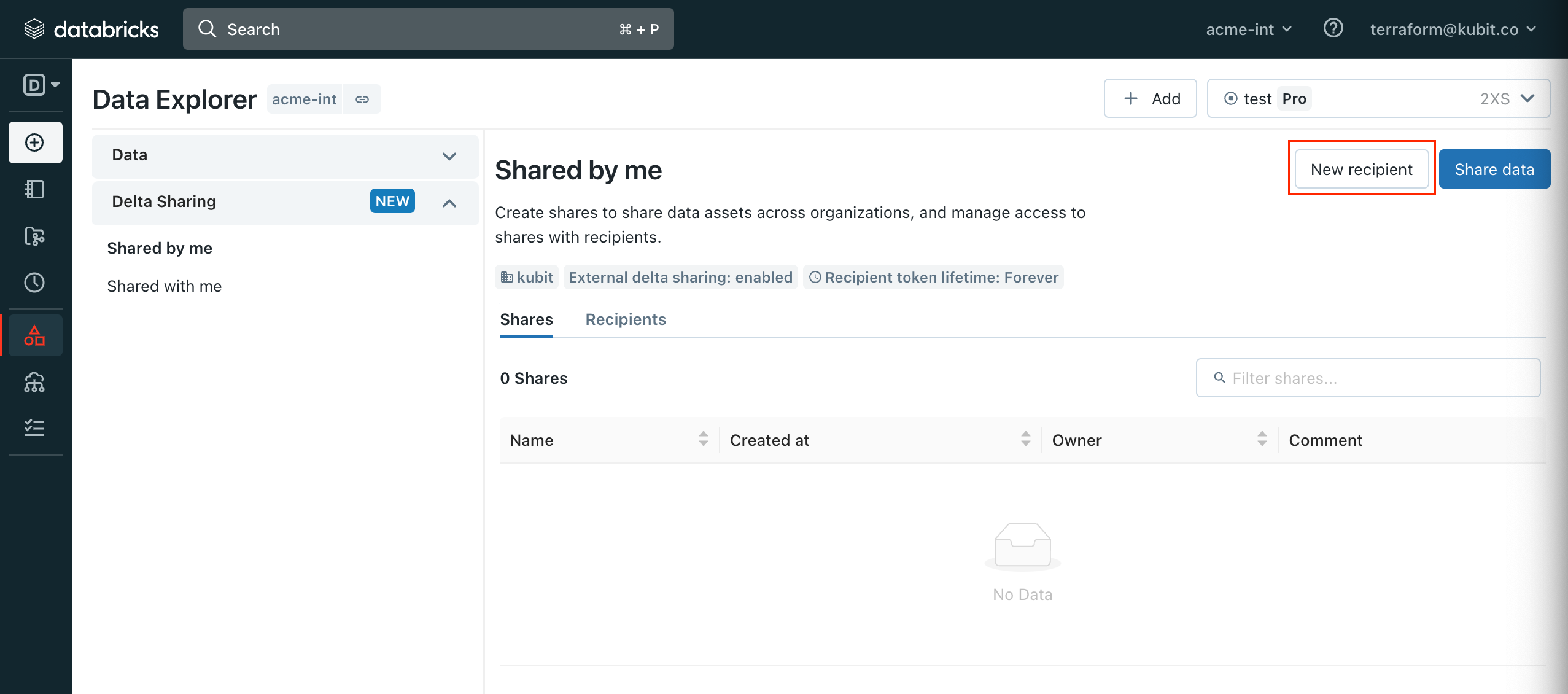
Navigate to Your Workspace: In the
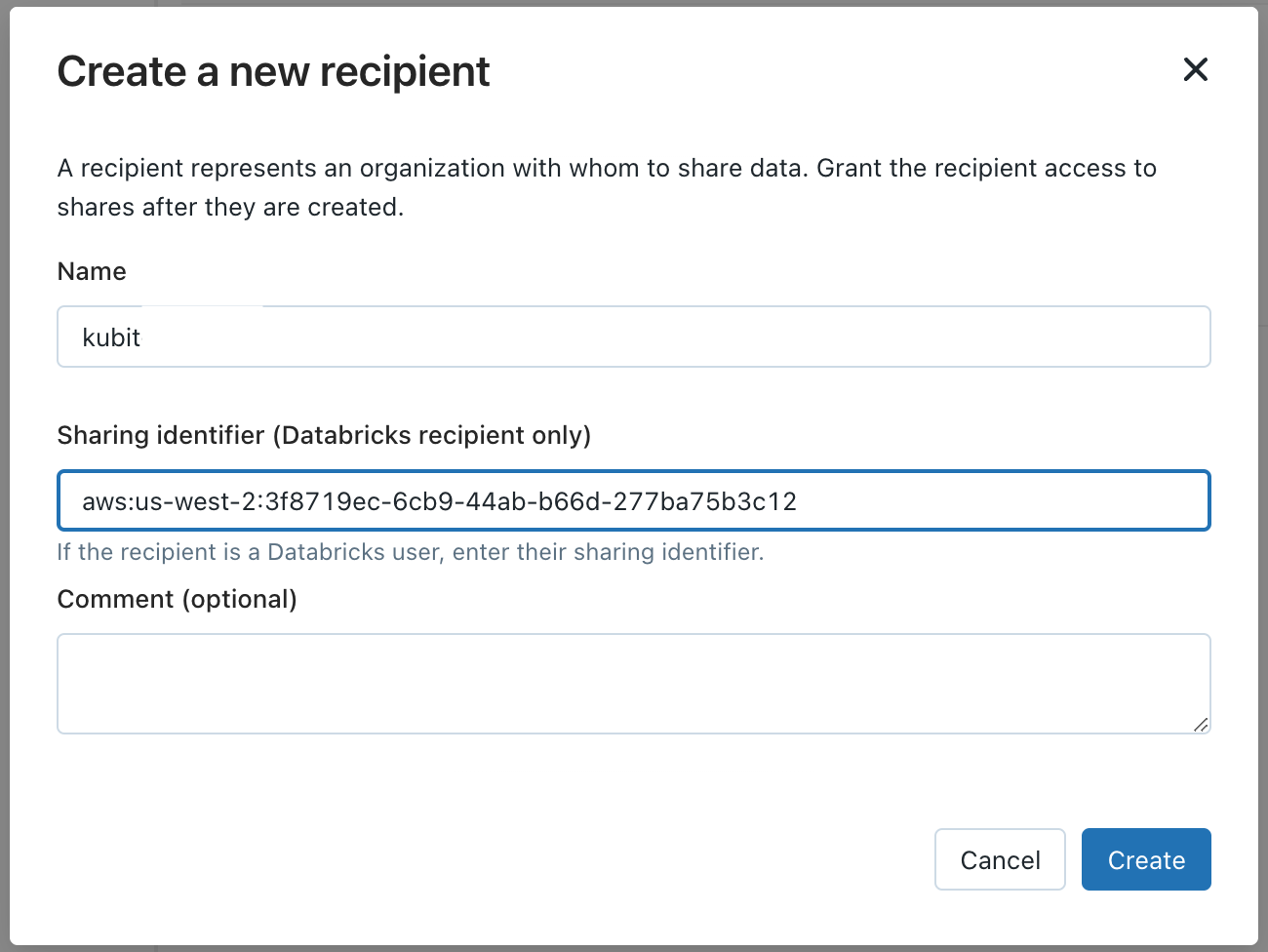
Data Science & Engineeringmenu, go to theDatatab. Select theDelta Sharingsub-menu and clickNew recipient.Create a Recipient: Fill in the form with the following details:
Name: kubit
Sharing identifier: Unique ID provided by the Kubit Team.
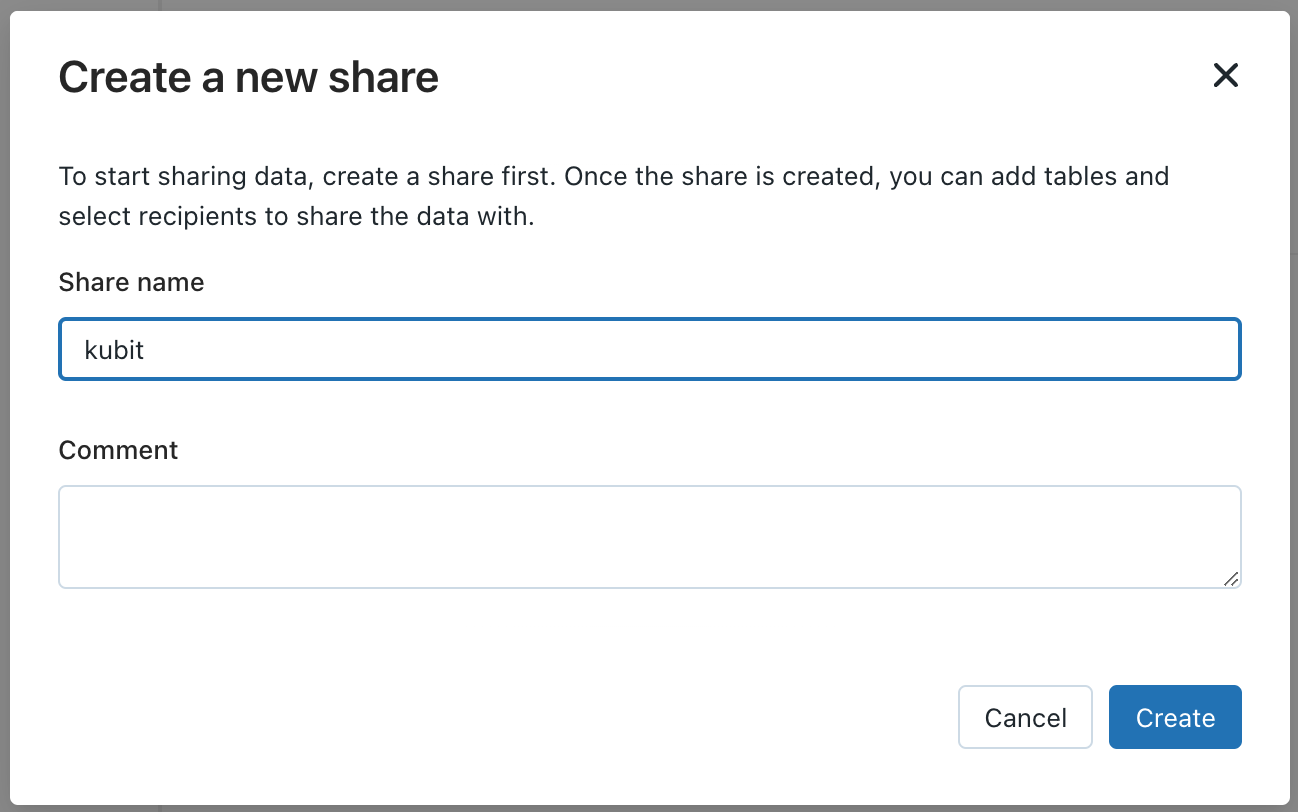
Share Data: Click
Share dataand enter:Share name: kubit
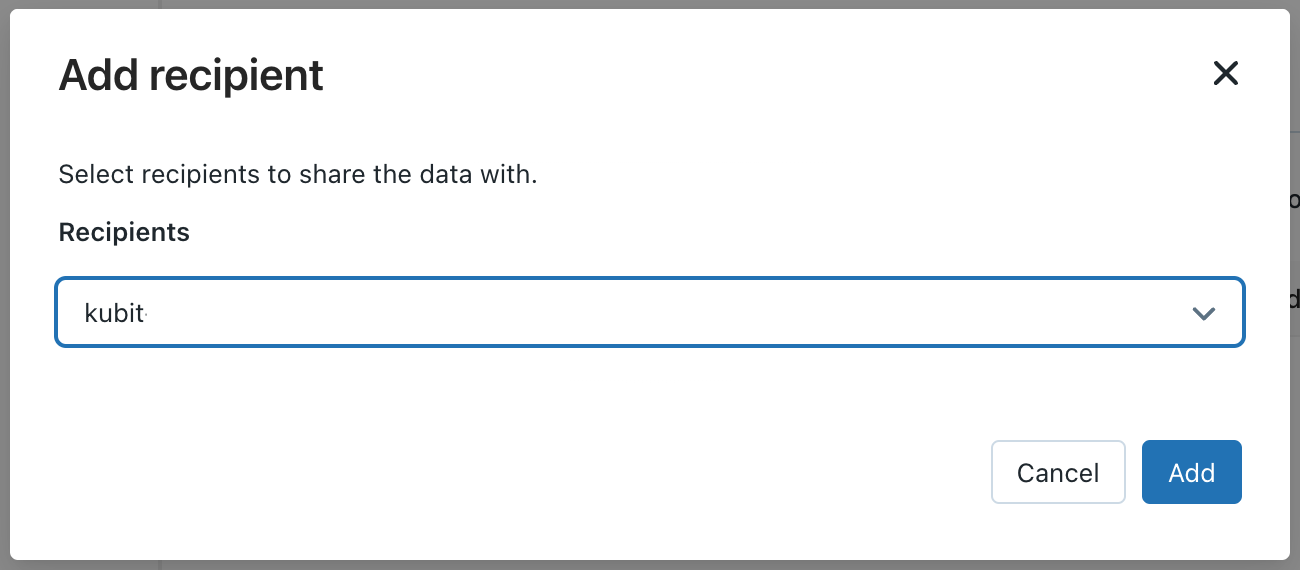
Manage Shares: On the share management screen, click
Add recipientand select the recipient created in step 3.
Add Data to the Share
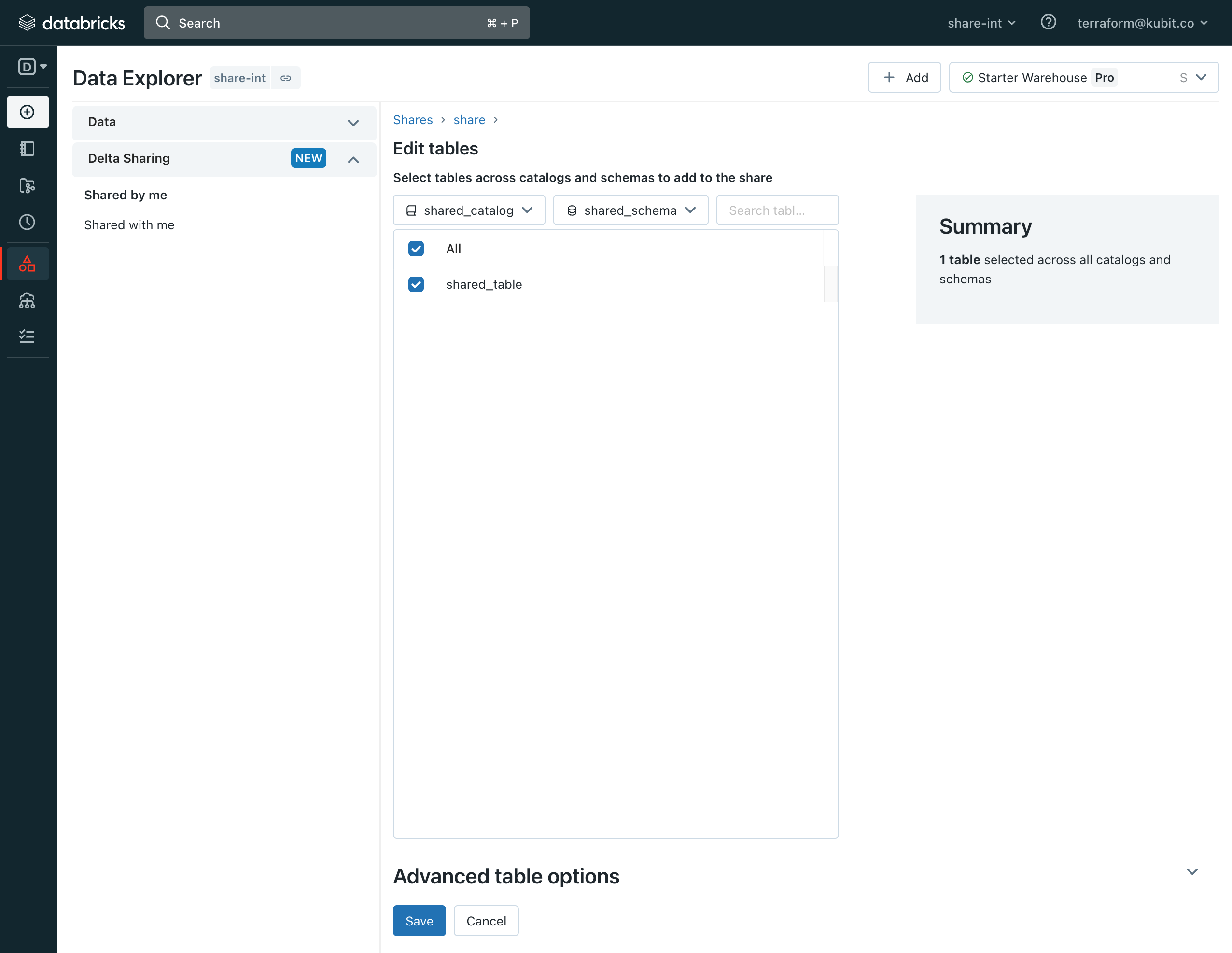
Add Tables: Select the tables to share with Kubit and click
Save.Verify Recipients: Ensure the Kubit recipient is listed under the
Recipientstab.
Verify Access
Confirm access to the Delta Share with the Kubit team.
For more details, refer to the Databricks Delta Sharing documentation or watch the "Databricks Delta Sharing Demo".