
Time Period
Overview
The Time Period range is a mandatory parameter for every report and thus you will find the highlighted Time Period section in every report builder.
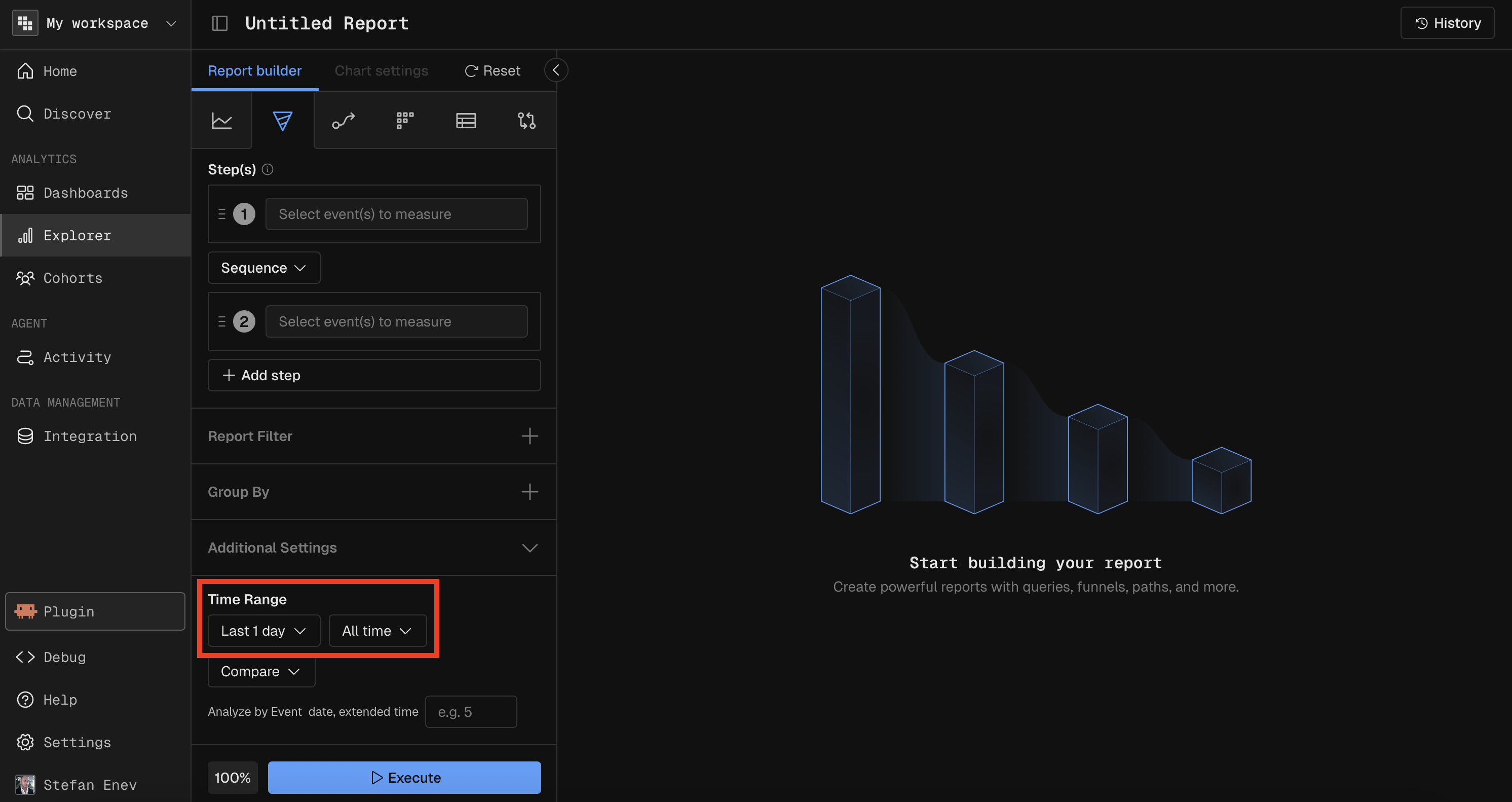
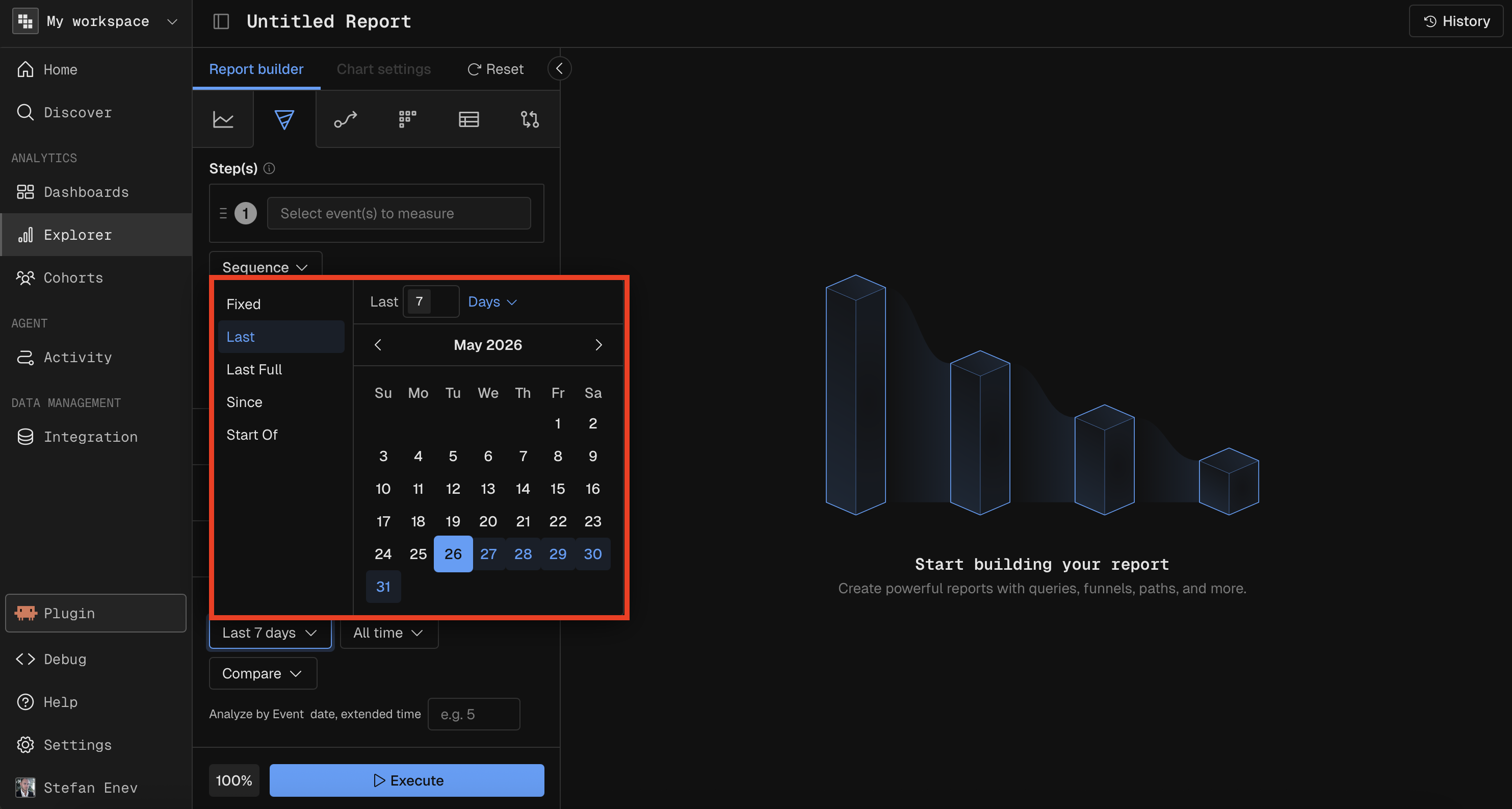
There's multiple convenience options to select from when building your reports and add them to Dashboards:
Fixed- in case you are putting together an investigation onto a Dashboard you'd use the Fixed range so Dashboard refreshes don't accidentally change itLast- this is the go-to option when tracking recent metrics on a DashboardLast Full- if you're reporting on a Weekly or a Monthly basis you'd typically want to deal with full weeks and monthsSince- when you need to create a report since a particular date, e.g. a new feature's inceptionStart Of- useful when reporting on an initiative since the beginning of the month or quarter
Include Missing Dates
When enabled (default), the report fills in zero-value data points for dates with no matching events. When disabled, dates with no data are skipped entirely.
Constraint | Details |
|---|---|
Compare dependency | Compare is not available when Include Missing Dates is disabled. |
Time Unit
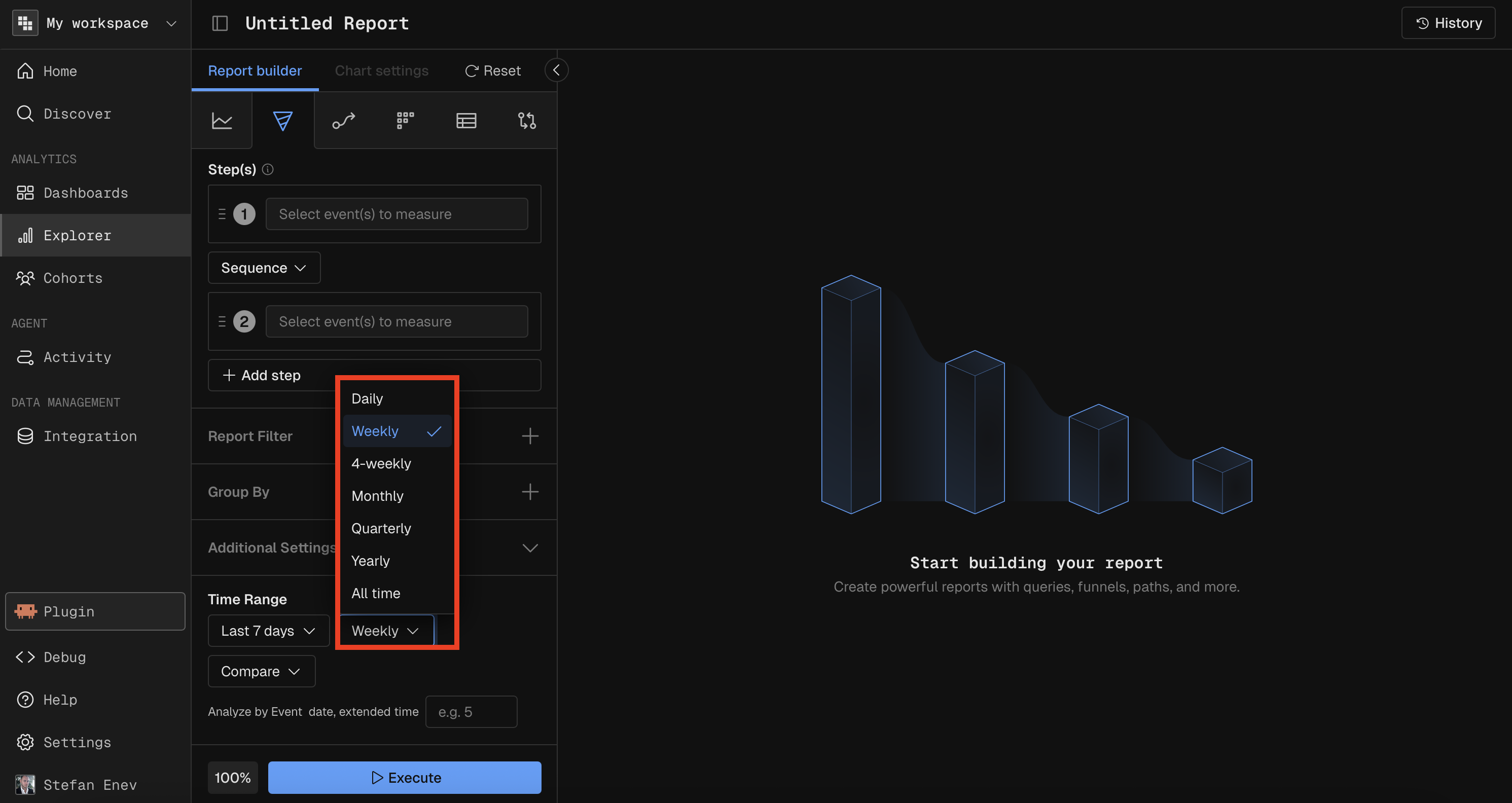
Kubit allows you to aggregate data across various time intervals. This means whatever time interval you select will be the number of data points you see on the chart for things like Query, Funnel and Retention.
Intervals of time are not available for Data Tables, Flow, Cohorts or Significance.
To see a Data Table broken down by Month/Week/Day, add the value as a breakdown. Look for Event Month or Event DayFields.
Available time interval options for Query, Funnel, and Retention include:
DailyWeekly4-Weeks- groups based on each bucket of 4 weeks, regardless of what Months those weeks occur.MonthlyYearlyAll Time- aggregates all data into a single point over the entire Start and End Date range.
Constraints by Report Type
Report Type | Allowed Time Granularities |
|---|---|
Query | All time units |
Funnel (Conversion) | Day, Week, Month, Quarter, Year, All Time |
Funnel (Frequency) | All Time only |
Funnel (Time to Convert) | All Time only |
Flow | All Time only |
Retention | Day, Week, Month (determines return period intervals) |
Data Table | All time units |
Significance | All Time only |