
kubit-connect
Connects your current session to a Kubit organization and workspace through MCP. All other skills will automatically invoke kubit-connect if there is no established session.
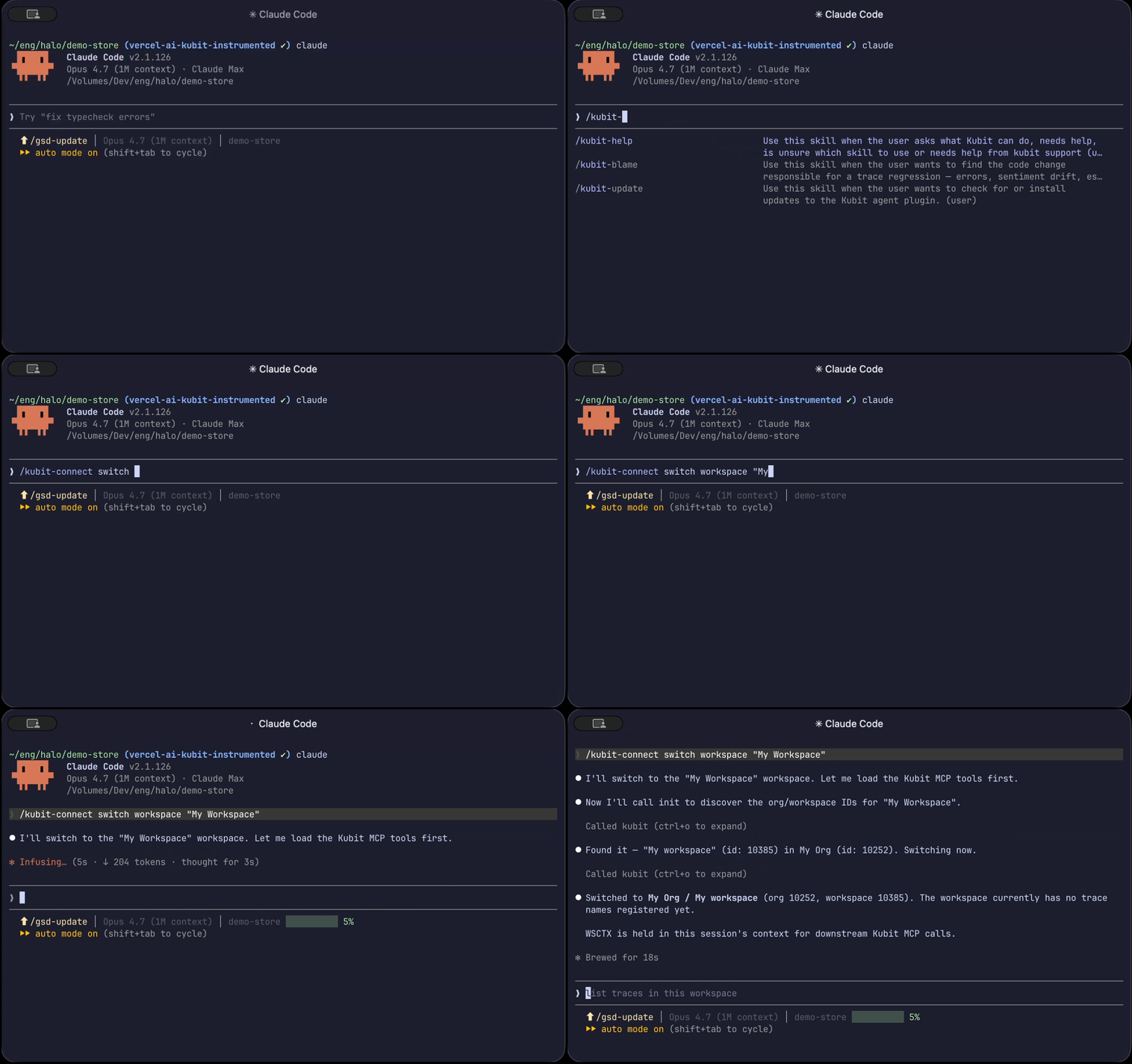
What it does
kubit-connect authenticates you against the Kubit Agent MCP server and pins the session to a specific org + workspace. Once connected, every other Kubit skill uses that context automatically — you don't pass org or workspace IDs around manually.
You'll typically run it once at the start of a session. Run it again any time you want to switch orgs or workspaces.
Prerequisites
You need an active connection to the Kubit Agent MCP server. Install Kubit Plugin will configure it for you.
OAuth
First time calling kubit-connect will trigger OAuth to log into Kubit and authenticate MCP server. If your browser was not automatically launched, don’t try to copy-paste the URL (since it is most likely broken into multiple lines). Depends on your terminal, please try cmd-click, cmd-double click, or right-click and Open Link on the URL to open it in the browser.
Troubleshoot MCP
If you run into MCP server connection issues:
For Claude Code
Try
/mcpcommand to re-connect, re-auth "kubit-agent"
Usage
❯
/kubit-connect[switch <org|workspace> <id-or-name>]
Examples
Connect for the first time
❯
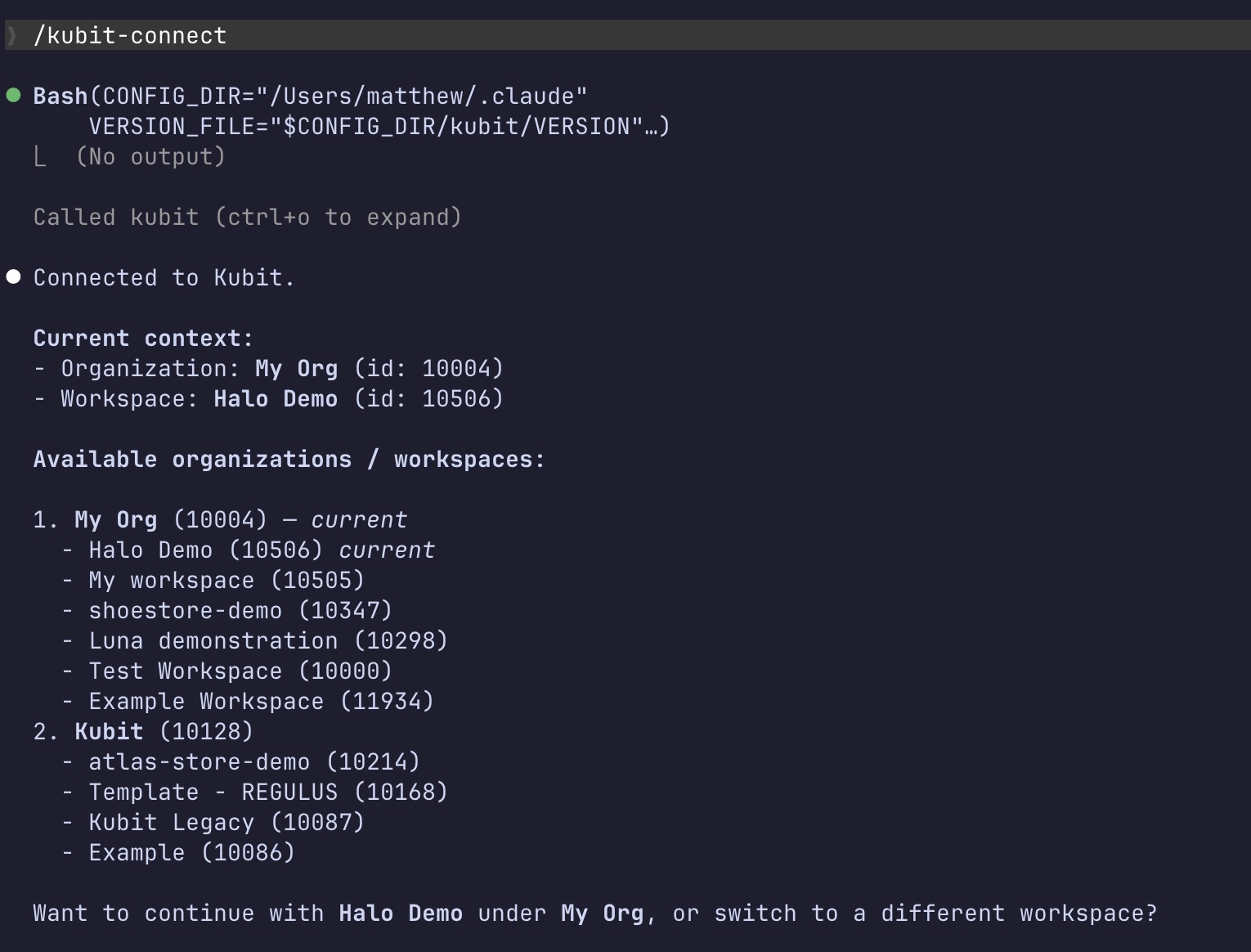
/kubit-connect
Connects you to your default org and workspace. If you belong to multiple, you'll be prompted to pick. If you only have one of each, it's selected automatically.The output shows your current user, the active org/workspace, and any other orgs/workspaces you have access to:
Switch workspace
❯
/kubit-connectswitch workspace analytics-prod
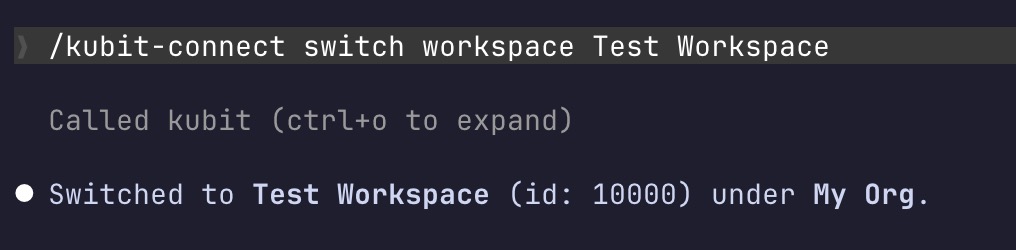
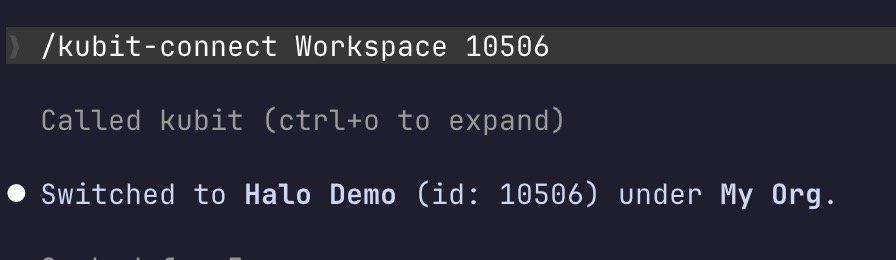
Switches the active workspace within your current org. You can pass either the workspace name or its numeric ID.
By name
By ID
Switch org
❯
/kubit-connectswitch org acme-corp
Switches both org and workspace together — they're always paired, so switching orgs will land you in that org's default workspace. Below is what you should get as output:

Create a new workspace
❯
/kubit-connectcreate workspace "my-new-workspace"
You'll be redirected to kubit-integrate, which walks you through the full onboarding flow (workspace creation, API key generation, .env setup, and tracing exporter wiring).
Notes
Idle for while? Run
/kubit-connectagain to refresh. Not a security timeout — just re-pins your workspace context.Your session token is held in memory for the duration of the session and never written to disk. If it's lost, just re-run
/kubit-connect.On first-time connections,
kubit-connectchecks whether a newer version of Kubit Plugin is available and prints an upgrade hint if so.