
Ask Kubit
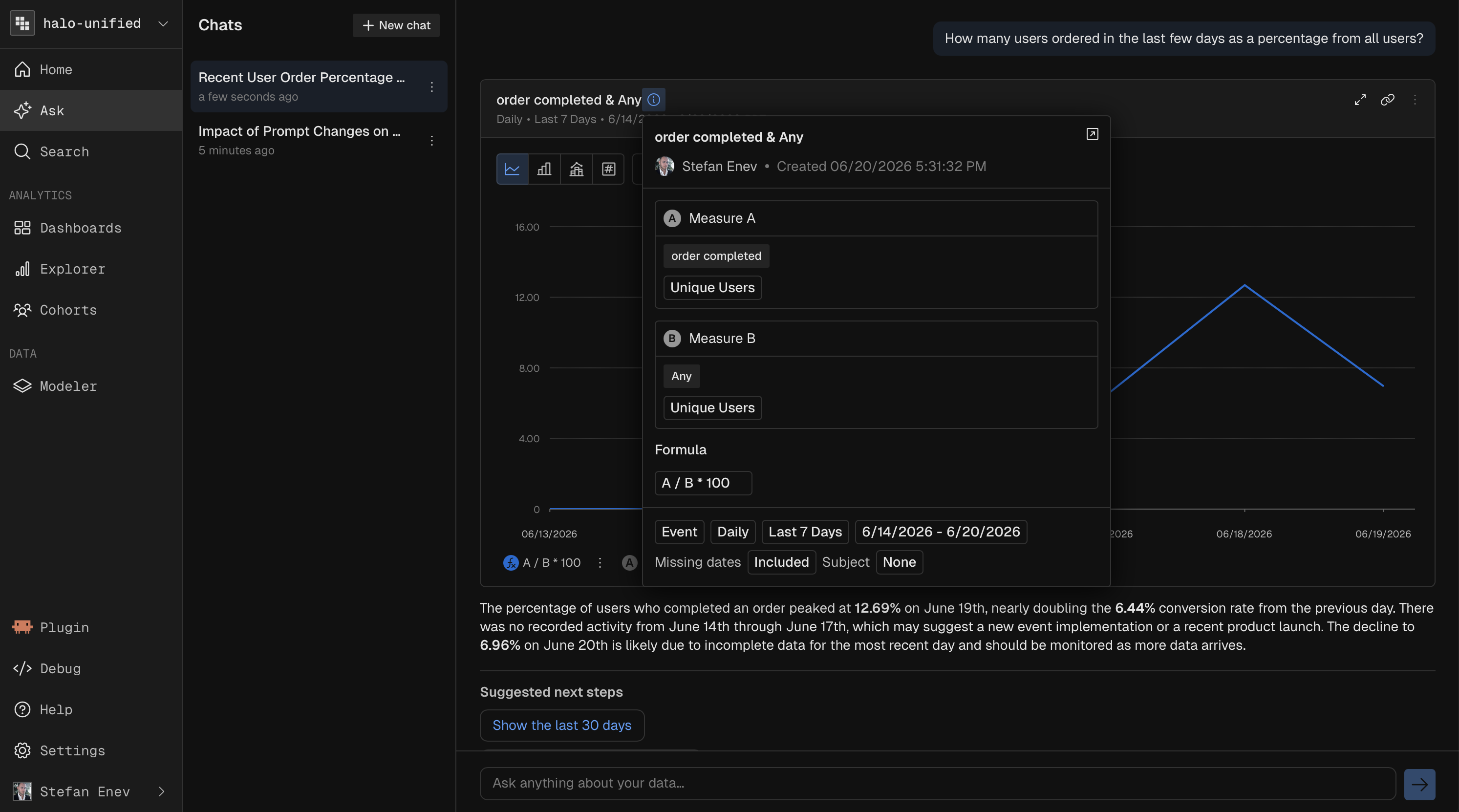
Describe the report you want in plain language and Kubit builds it for you. You can open a dedicated chat to explore your data in a back and forth. It reads your schema metadata to map your request to the right events, fields, and filters.
Chat with your data
The dedicated chat is a single place to ask questions without picking a report type first. Useful when you are exploring or unsure which view fits.
You can:
Ask a question in plain language and get a report or cohort back.
Iterate on the result with follow up prompts to refine or add breakdowns.
Example use case. An AI PM wants to know whether a prompt change hurt checkout. They ask: "How many users abandoned checkout after talking to the agent last week, and how does that compare to the week before?" Kubit returns a comparison report. They follow up with "break that down by primary intent" and "only sessions with negative sentiment drift" to isolate where it went wrong, then save the result to a dashboard.
Any report or cohort created in chat behaves like any other object. Open it in the full builder to edit and re execute, add it to a Dashboard, or favorite it.
Find existing reports
Search your workspace's reports in plain language instead of remembering exact titles. Describe what a report covers and Kubit surfaces the matches.
Spot outliers
After a report runs, Kubit can summarize the results and flag anomalies in the data, pointing you to the spikes, drops, or segments worth a closer look so you are not eyeballing every chart.
Your data is never used to train models.
Next steps
Pick the right view: Reports
Build reusable audiences: Cohorts
Save and share results: Dashboards