
Agent Activity
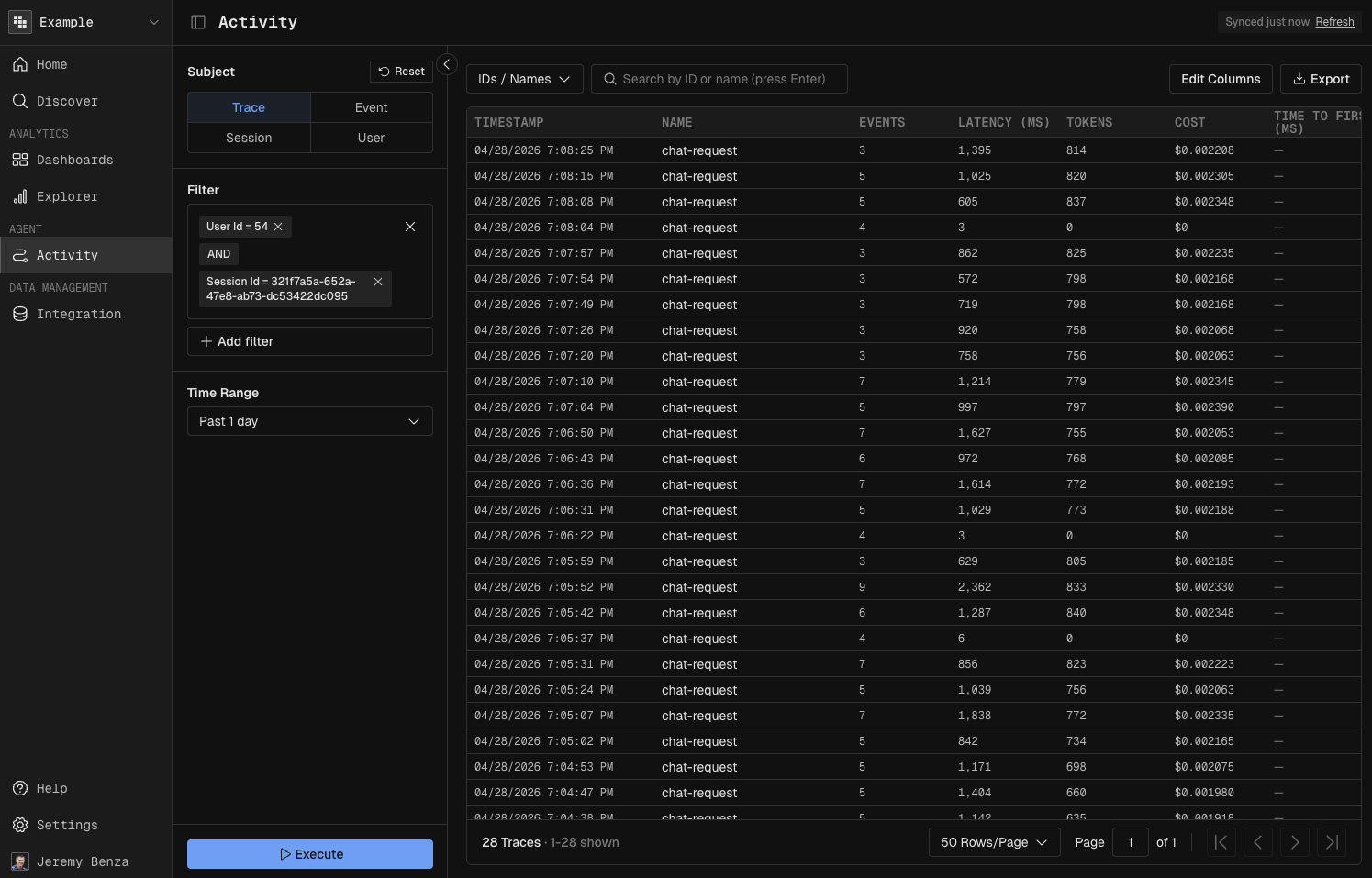
Explore traces, spans (events), sessions, and users in a single interactive grid — filter, search, and drill down to the exact trace, user, or session you need to debug.
Concept
One view for everything your agents are doing in production. Traces, spans, sessions, and users are all first-class tabs of the same grid, so you can start with a broad question ("show me the last day of traces") and end on a single trace's input, output, latency, and cost without leaving the page.
Open Agent Activity
In the left navigation, click Agent - Activity.
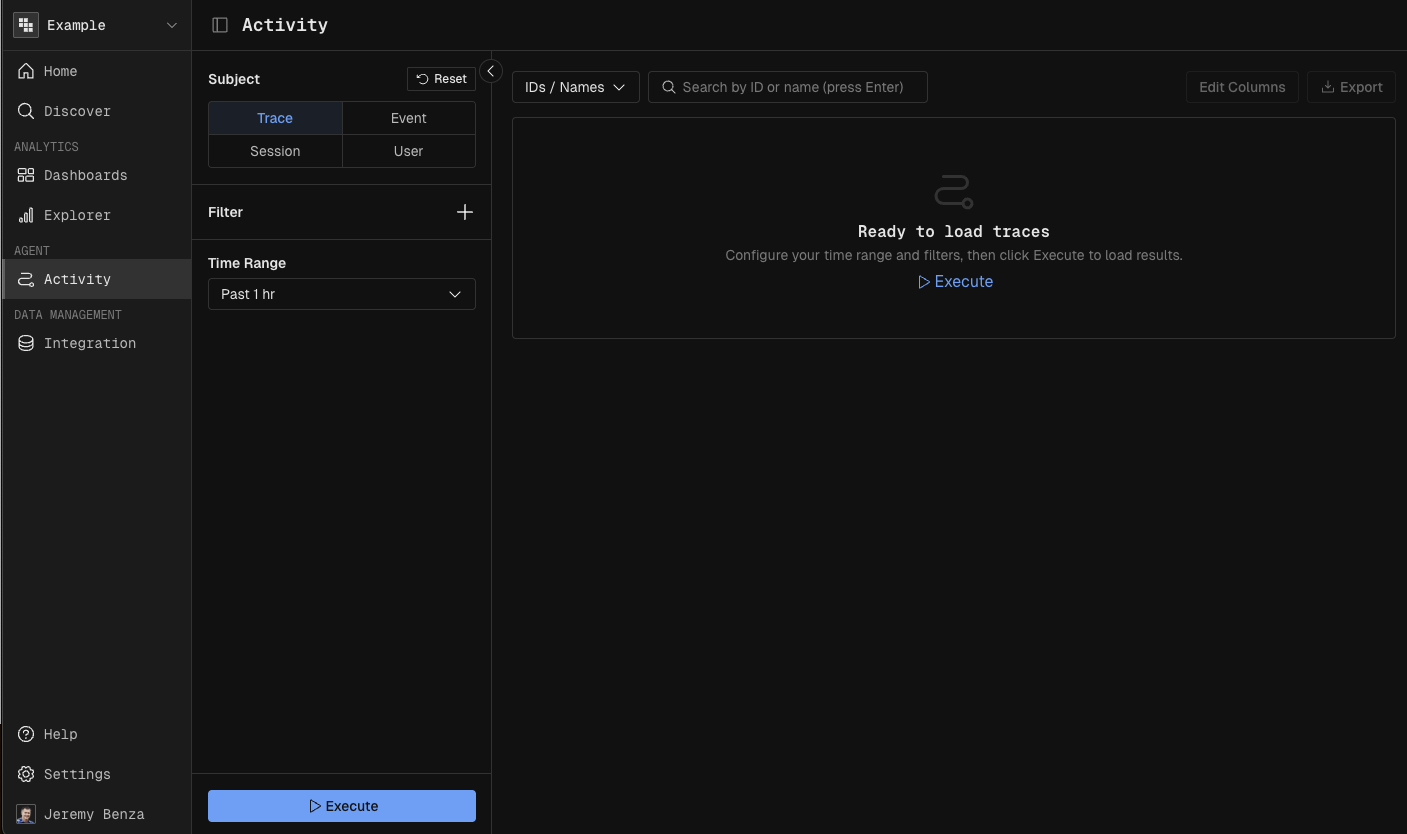
Switch between the Trace, Span, Session, and User view depending on what you want to look at.
Filter and execute
Open the builder panel on the left.
Click + to add any additional filters — model, trace name, user, intent, cost threshold.
Set the time range: Last 1 day or any window that matches your investigation.
Click Execute.
Customize the grid
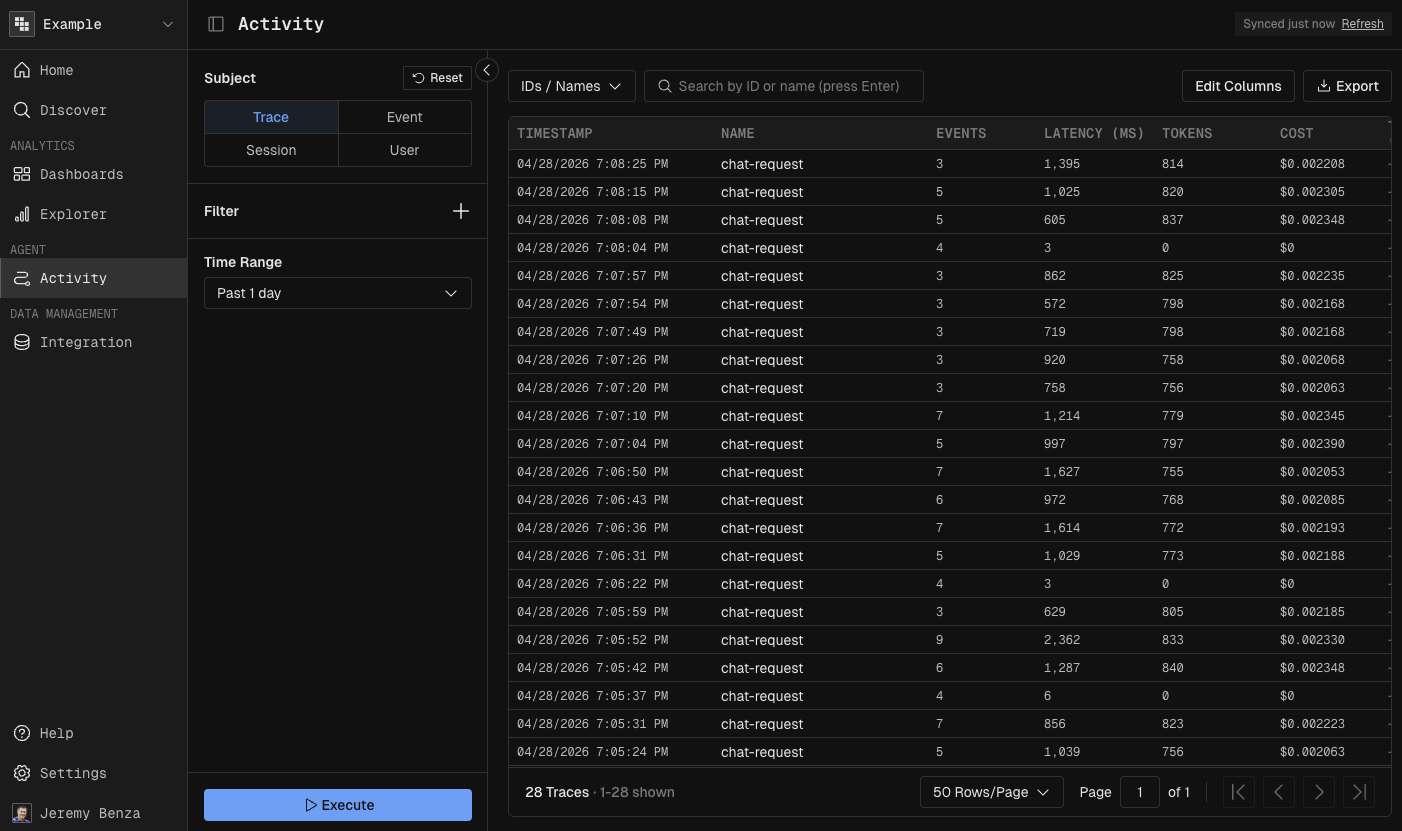
Use the search bar at the top of the grid to narrow the current result set.
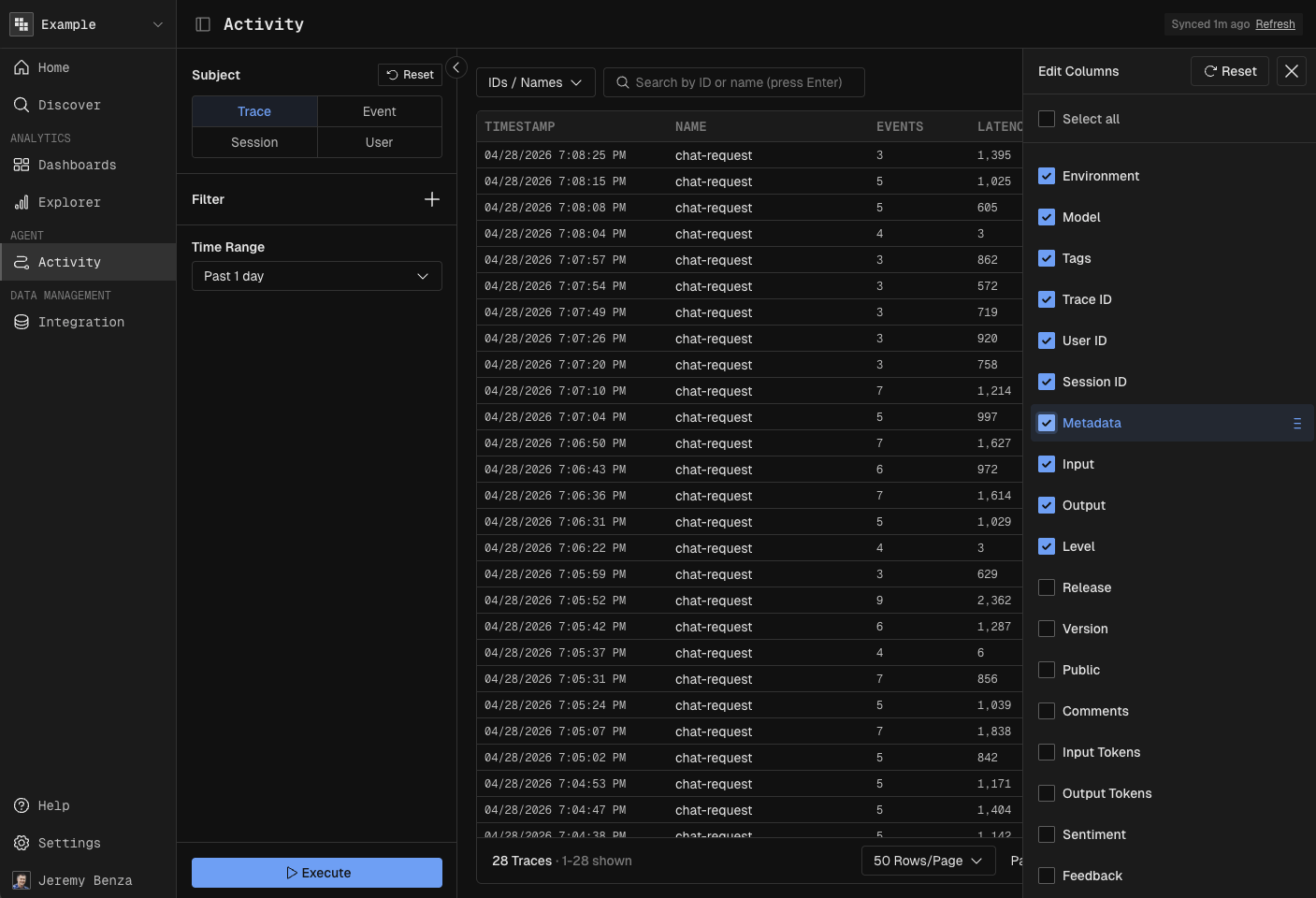
Click Edit Columns to add/remove columns displayed in the table (latency, cost, intent, sentiment, etc.).
Drag column headers to re-arrange the order.
Inspect
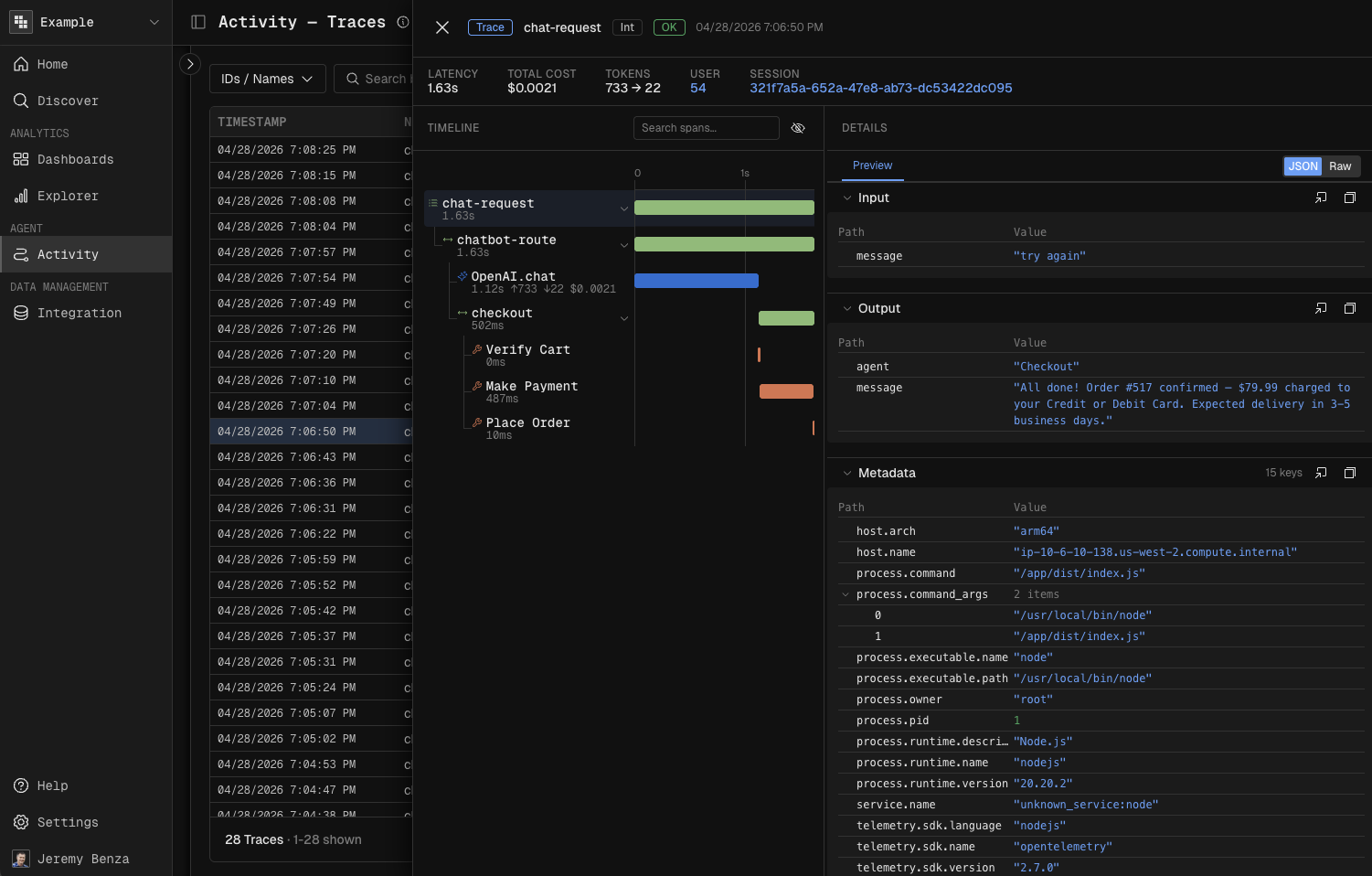
Click any row in the grid.
Review the detail panel — trace metadata, individual spans/events, associated user, and session.
Check latency and cost per event in the event timeline.
Scroll to the Input and Output sections to see exactly what went in and what came back.
Drill into a user or session
Inside any detail view, click "Preview" icon of the linked user or session.
Kubit shows you the important fields of that entity inline.
You can also click on the linked user or session ID to go to the dedicated view to see every trace associated with that user or session.
Next steps
Build dashboards and reports to track and analyze these patterns over time.