
Conversation Intelligence
Raw LLM traces tell you what your agent did: the prompts, tool calls, latency, and cost. They don't tell you what the user wanted, how they felt, or whether they got it. Conversation Intelligence is the enrichment layer that extracts that meaning from every trace and writes it back as structured fields you can filter, group, and report on.
How Enrichment Works
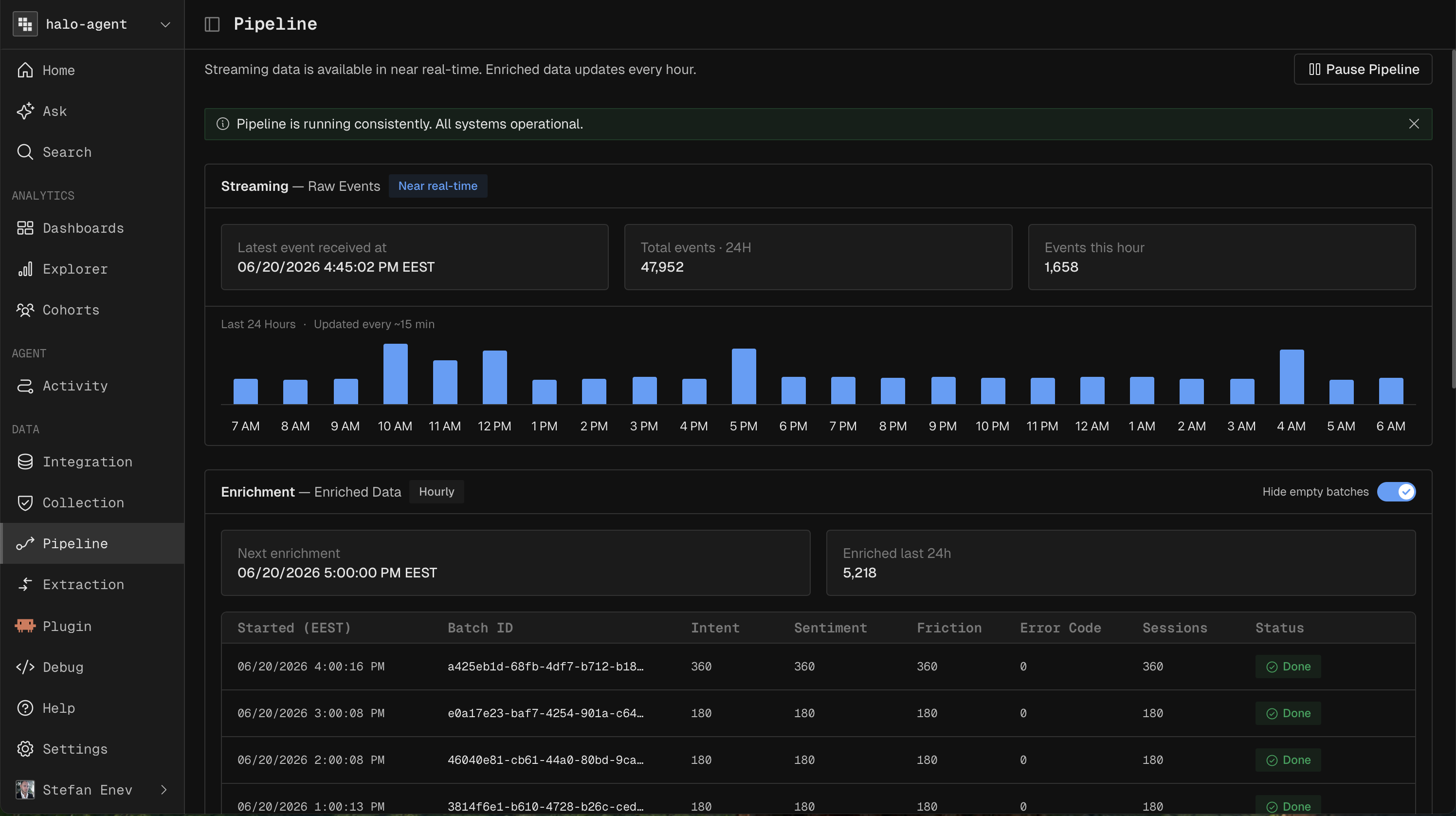
Enrichment runs as a batch job that processes traces shortly after they're ingested.
Ingest. Traces arrive at the OTLP endpoint and appear in Agent Activity in near real time.
Enrich. An hourly batch job reads new traces and derives the fields below from the conversation content.
Write back. The derived fields are attached to the trace. In a warehouse native deployment, they land in the same tables in your own warehouse.
Analyze. Enriched fields show up as columns in Agent Activity and as dimensions and filters across every report and dashboard.
You can watch pipeline status under Pipeline, where the Batch panel shows the next scheduled run and recent enrichment batches.
What Enrichment Adds
Enrichment turns raw chat turns into a structured analytical record. Each enriched conversation comes with:
Field | What it means |
|---|---|
intents | Every distinct goal the user pursued during the conversation (browsing, sizing, purchasing). |
primary intent | The single most dominant goal: what the conversation was really about. |
resolved intents | The intents the agent actually completed for the user. |
clarification count | How many times the agent had to ask the user to clarify. |
escalation count | How many times the user asked for a human or escalated. |
start sentiment score | The user's emotional baseline at the start of the conversation. |
end sentiment score | Where their sentiment landed by the end. |
sentiment drift | How much sentiment moved. Positive means the agent recovered the experience; negative means it got worse. |
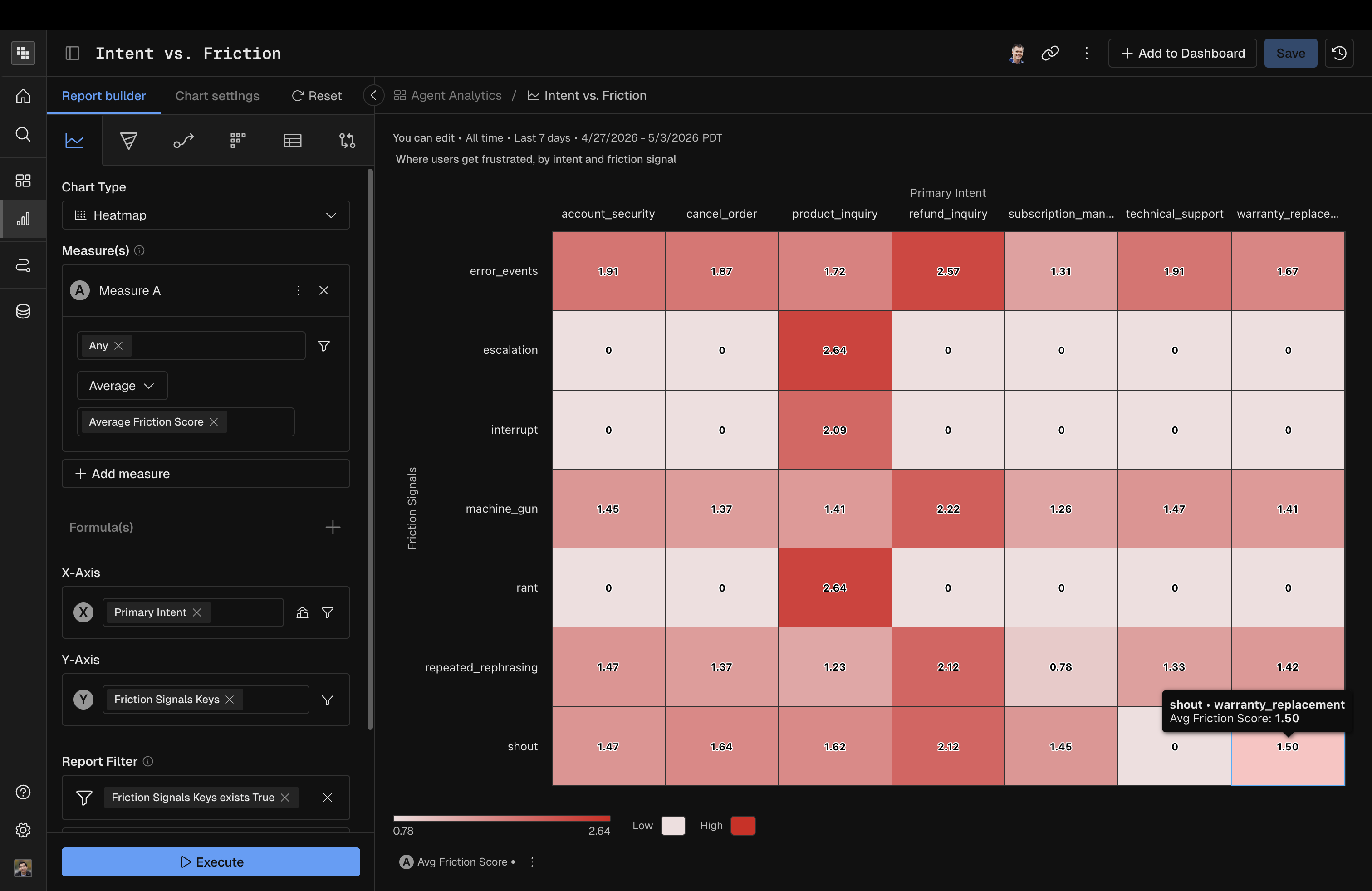
friction signals | Specific moments of frustration: rephrasing, repeated asks, abandoned carts, dead ends. |
delight signals | Specific moments of positive reaction: thanks, enthusiasm, repeat purchases. |
technical density score | How technical the user's language was. Useful for separating expert from casual users. |
topic switch rate | How often the conversation jumped between unrelated subjects. |
personas | Inferred personas based on behavior (bargain hunter, gift shopper, repeat buyer). |
intent signatures | Recurring intent patterns Kubit has seen before and recognized in this conversation. |
These fields power every downstream view: dashboards, reports, traces, and sessions.
100% Coverage, No Sampling
Conversation Intelligence enriches every trace, not a sample. Because Kubit runs warehouse native, enrichment scales with your warehouse instead of a per trace billing model, so there's no LLM-as-a-Judge sampling tax and no bring your own model setup. Your metrics reflect all of your traffic.
Tuning Accuracy
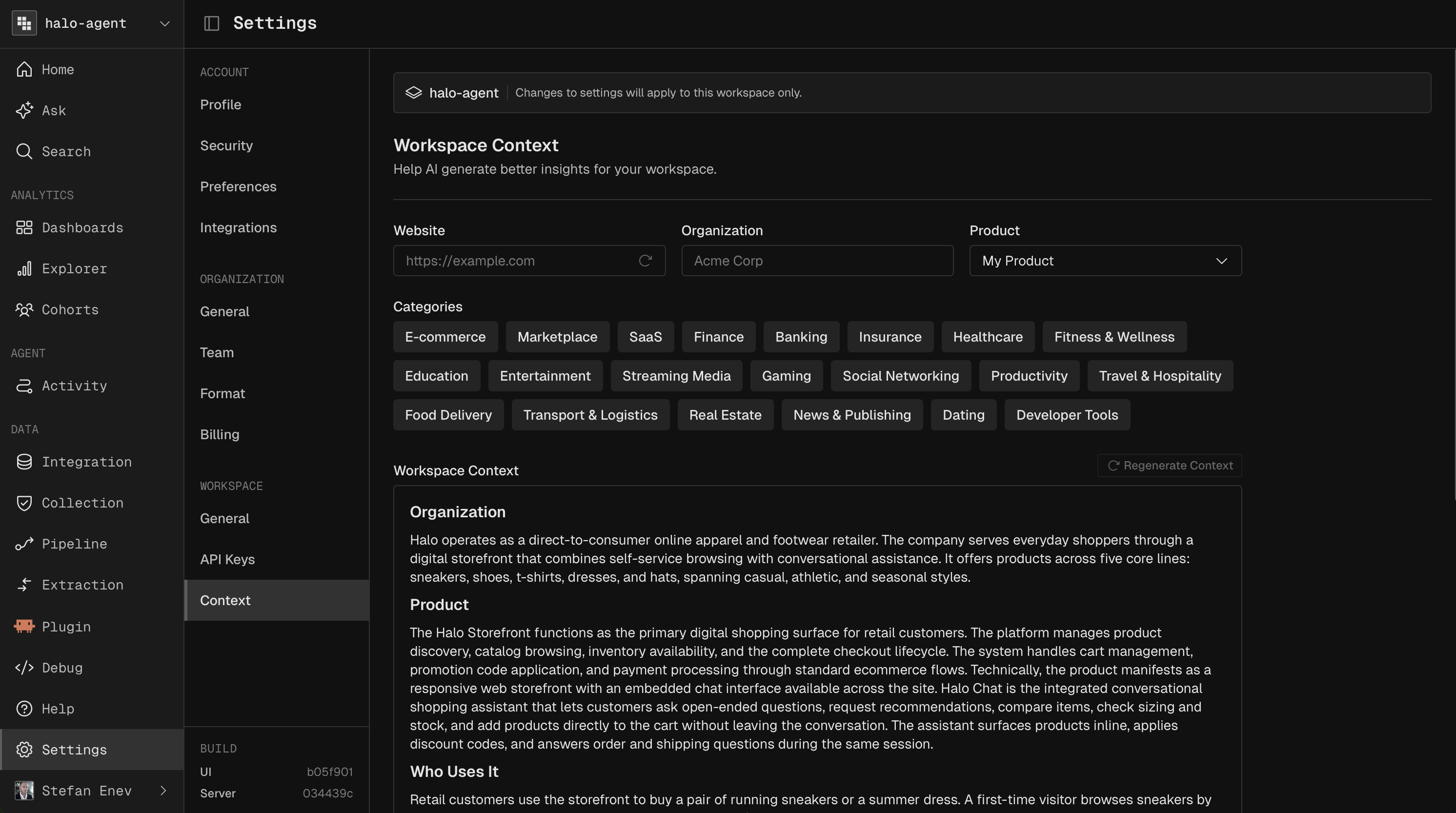
Enrichment quality depends on how much the system knows about your product. Each workspace carries a Workspace Context: a description of what your product does, who it serves, and the vocabulary your users use. A new workspace starts with a default derived from your email domain, and refining it makes intent and resolution classification noticeably more accurate.
Benefits
Diagnose friction. Filter to negative sentiment drift or unresolved intents and read exactly what went wrong.
Prioritize by intent. See which goals drive the most volume, the most failures, or the highest cost per resolution.
Track quality over time. Trend resolution rate and sentiment as you ship agent changes.
Feed your coding agent. Enriched context flows through the MCP server into Claude Code or Cursor, so you can debug a failing intent where you build.
Next steps
See enriched traces in context: Agent Activity
Trend intent, sentiment, and resolution: Dashboards
Generate enriched traffic to explore: Demo Store