
Databricks
Connect Kubit directly to Databricks so it queries your data in place. You create a SQL warehouse and a read only service principal for Kubit. Nothing is copied out of your workspace.
Steps
1. Create a warehouse
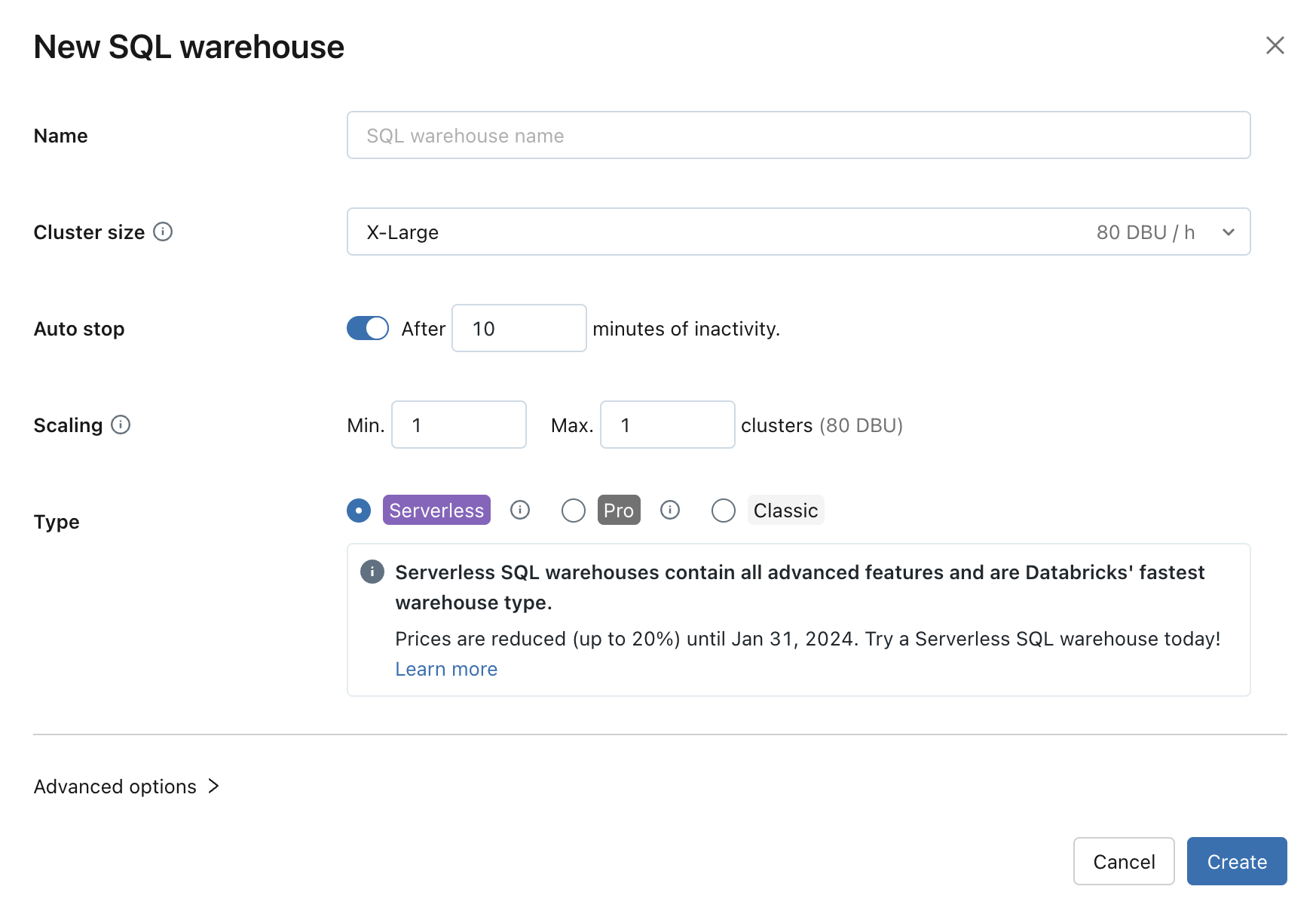
Create a Serverless SQL Warehouse, sized to your data volume.
2. Create a service principal
Create a Service Principal with these permissions:
SELECT on the schema that contains the views interfacing with Kubit.
Access to the warehouse, so it can run the analyses.
Access to the Query History of the user, for troubleshooting.
3. Split test and production workloads (optional)
As a best practice, create a second warehouse and service principal for development. Isolating development from production avoids accidental impact on live workloads.
Best practices
Partitioning
Databricks supports table partitions, which speed up queries and optimize cost at the same time. For the best performance, use an event date column as the partition key on your fact tables. If you already partition by year, month, and day, Kubit can use those, and you do not need a separate date column.
Warehouse configuration
Four parameters matter when configuring your warehouse:
Cluster size. Start small and scale only on evidence from Query History. If reports feel slow, inspect them with Query Profile and watch for bytes spilled to disk above 1. Frequent spilling means you need a larger size.
Auto stop. This controls how long the warehouse idles after queries finish. The tradeoff is cost savings versus a few seconds of wake up time on some reports. We recommend the minimum:
5 minutesfrom the UI, or1 minutevia the warehouse SQL API.Scaling. Start with a minimum and maximum of
1. Scale only once you regularly hit 10 concurrent queries multiple times a day.Type. Serverless is the default choice. It depends on load, since Serverless becomes more expensive than Pro when running 24/7.
See Databricks' reference on SQL warehouse sizing, scaling, and queuing behavior.
Usage monitoring
Keep costs in check with the Databricks monitoring tools:
A stopped Serverless warehouse can wake even with no query to run, for example when a JDBC or ODBC connection is established or a dashboard tied to that warehouse is opened. See Start a SQL Warehouse for the full list.
Next steps
Understand the model: Warehouse Native Architecture
Allow Kubit through your firewall: IP Whitelist