
Demo Store
Chat with the AI shopping assistant in our Demo Store — a fictional online shoe shop — and watch Kubit analyze agent activity using enriched traces with intent, sentiment, and friction signals.
The demo store is open sourced with github repo here.
Open the Demo Store
Go to halo.kubit.ai.
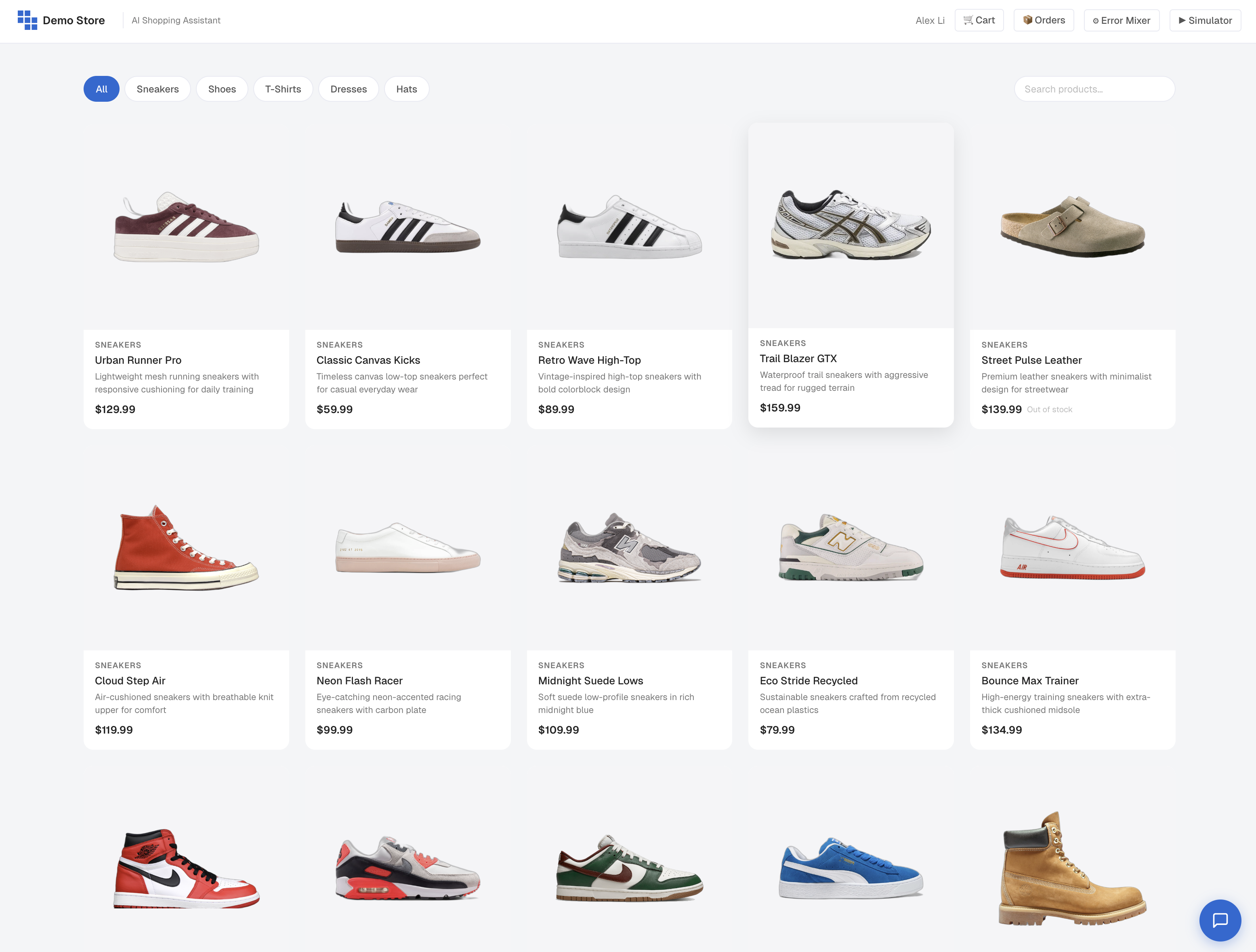
Browse the catalog and try place some orders to trigger clickstream events.
Use the chat interface lives in the bottom-right corner to trigger agent traces.
Have a Few Conversations
Open the chat and treat it like a real shopping session. Mix in product searches, size questions, order status, frustrations and dead ends.
A few prompts to get you started:
"Looking for the classic canvas kicks."
"Do you have these in a size 10?"
"Add them to my cart."
"Why isn't this working?", "HUMAN!", "Wow, that's wonderful" (intentionally frustrated or delighted)
"Can you recommend a hat to go with these?"
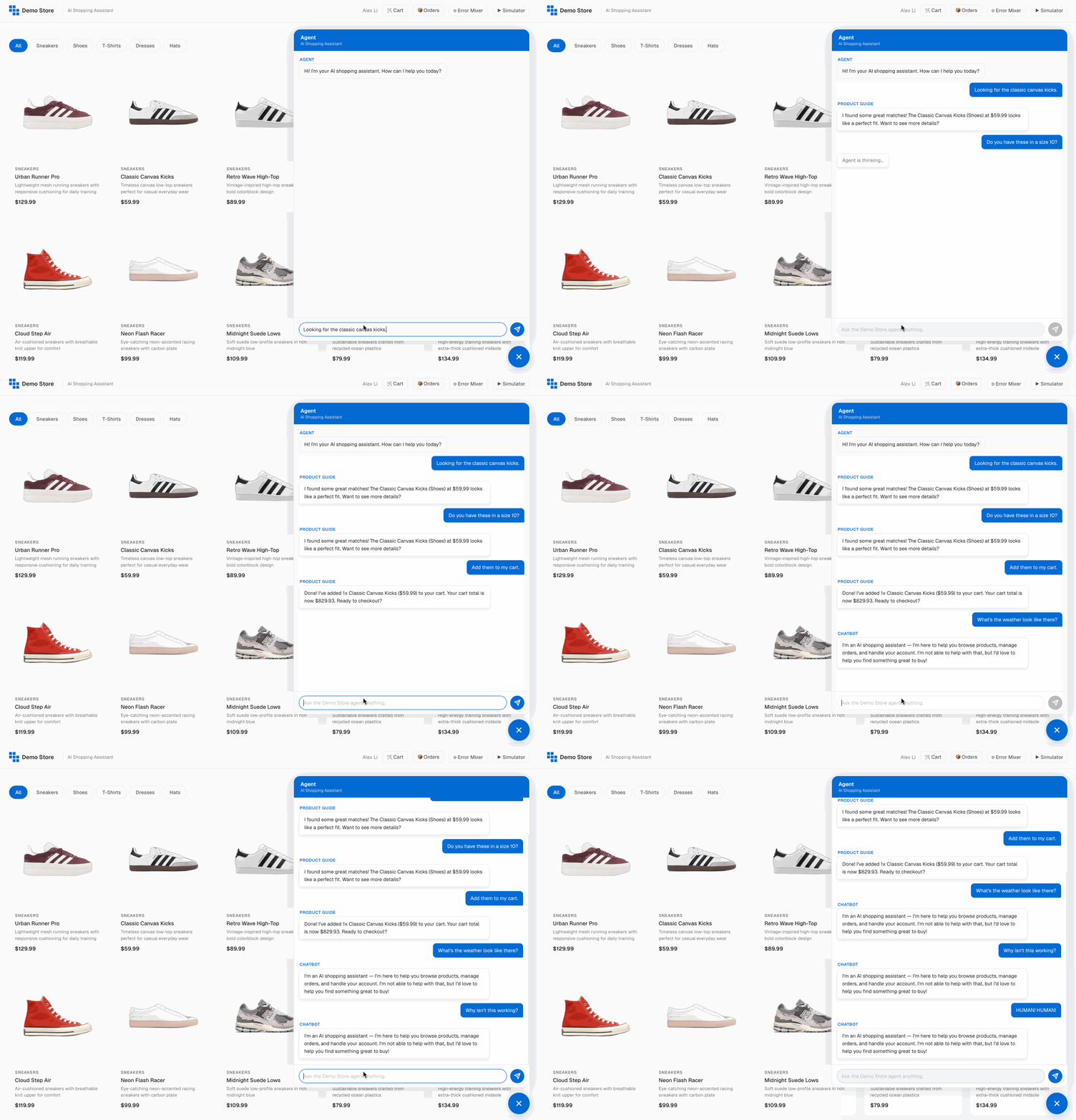
As you interact, LLM traces will be sent to Kubit and we will infer your intents (browsing, sizing, checking out, etc.), tracks sentiment as the conversation evolves, and captures friction signals when things go sideways — repeated rephrasing, escalations, abandonment.
Have multiple conversations across multiple sessions to build up a representative dataset.
Use the Simulator (optional)
Too tired to drive? Click on "Simulator" to generate random traces based on an embedded script.

Tune the Error Mixer (optional)
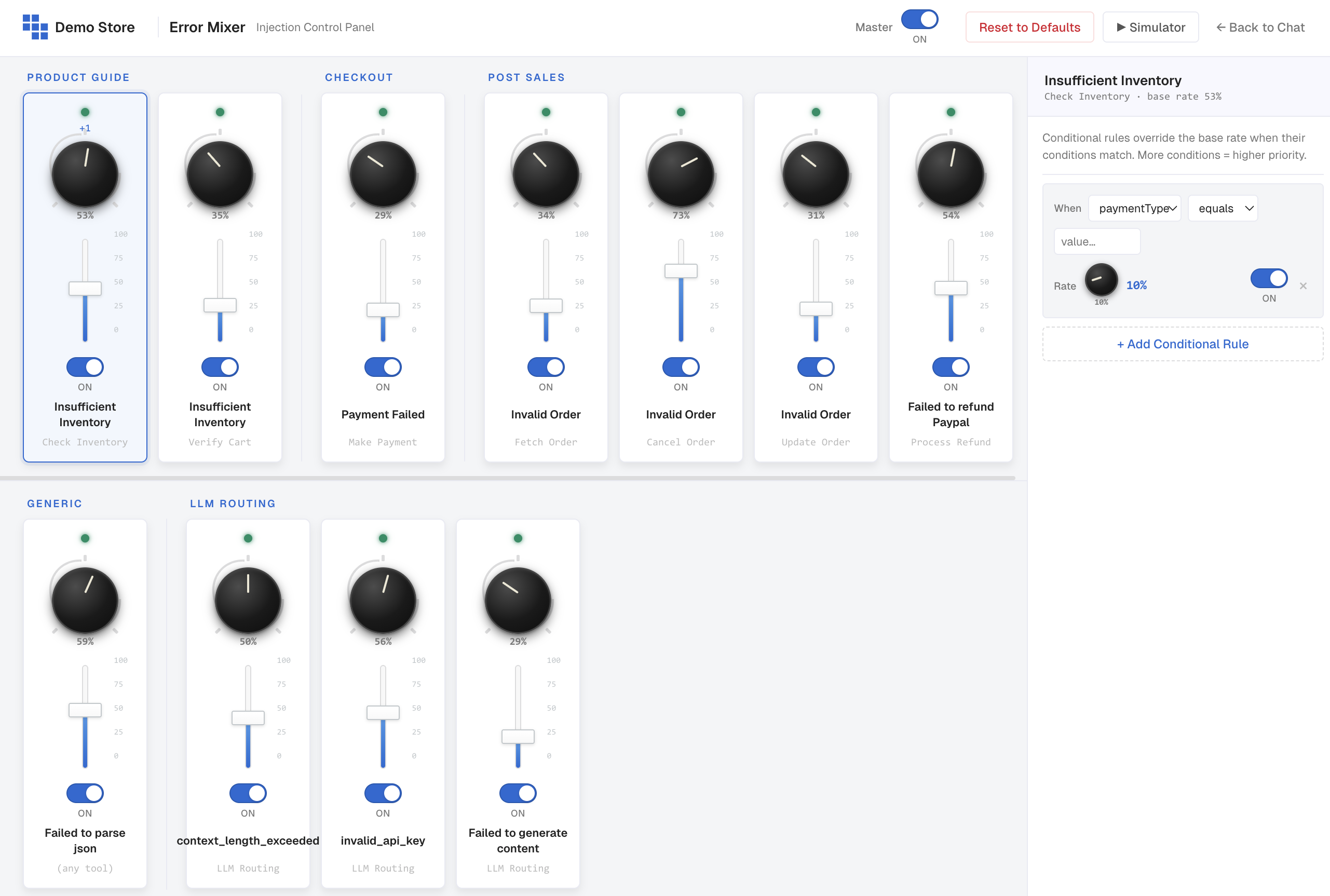
Want to see how the agent and Kubit handle failures? Use the Error Mixer to inject different kinds of errors at the rate you choose.
In the top-right, click Error Mixer.
Toggle individual error types on or off.
Slide the percentage up or down to control how often errors fire.
Agent Traces
Once you've chatted enough, head back into Kubit to confirm the data made it.
Switch to Agent Demo workspace under Kubit Demo, in the left navigation, click Data - Pipeline
Streaming — Raw events (near real-time) — latest event received, total events in the last 24 hours, events landed this hour, and a 24-hour bar chart that refreshes every ~15 minutes. This is where you confirm Demo Store traffic is hitting Kubit.
Enrichment (hourly) — when the next enrichment run is scheduled, how many batches completed in the last 24 hours, and a table of recent batches with their intent, sentiment, friction, sessions, and status.
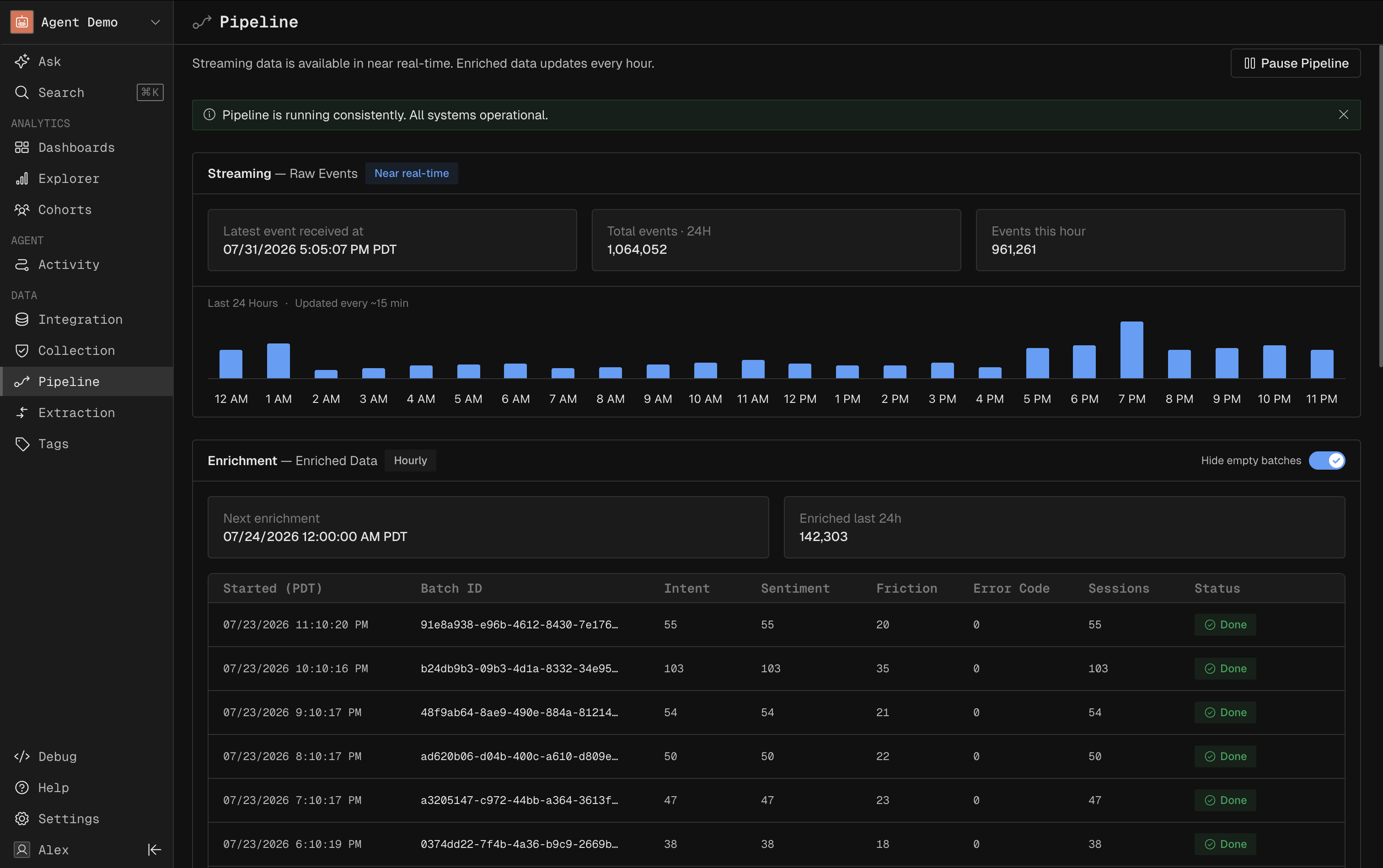
If you just chatted, you should see your event count tick up under Streaming (Note: It may take up to 5 minutes). The matching enriched batch shows up after the next hourly run.
What Enrichment Adds
Enrichment turns raw chat turns into a structured analytical record. Each enriched conversation comes with:
Field | What it means |
|---|---|
intents | Every distinct goal the user pursued during the conversation (e.g., browsing, sizing, purchasing). |
primary intent | The single most dominant goal — what the conversation was really about. |
resolved intents | The intents the agent actually completed for the user. |
clarification count | How many times the agent had to ask the user to clarify. |
escalation count | How many times the user asked for a human or escalated their request. |
start sentiment score | The user's emotional baseline at the start of the conversation. |
end sentiment score | Where their sentiment landed by the end. |
sentiment drift | How much sentiment moved — positive means the agent recovered the experience; negative means it got worse. |
friction signals | Specific moments of frustration — rephrasing, repeated asks, abandoned carts, dead ends. |
delight signals | Specific moments of positive reaction — thanks, enthusiasm, repeat purchases. |
technical density score | How technical the user's language was. Useful for separating expert from casual users. |
topic switch rate | How often the conversation jumped between unrelated subjects. |
personas | Inferred personas based on behavior (e.g., bargain hunter, gift shopper, repeat buyer). |
intent signatures | Recurring intent patterns Kubit has seen before and recognized in this conversation. |
These fields power every downstream view — dashboards, reports, traces, and sessions.
User Activities
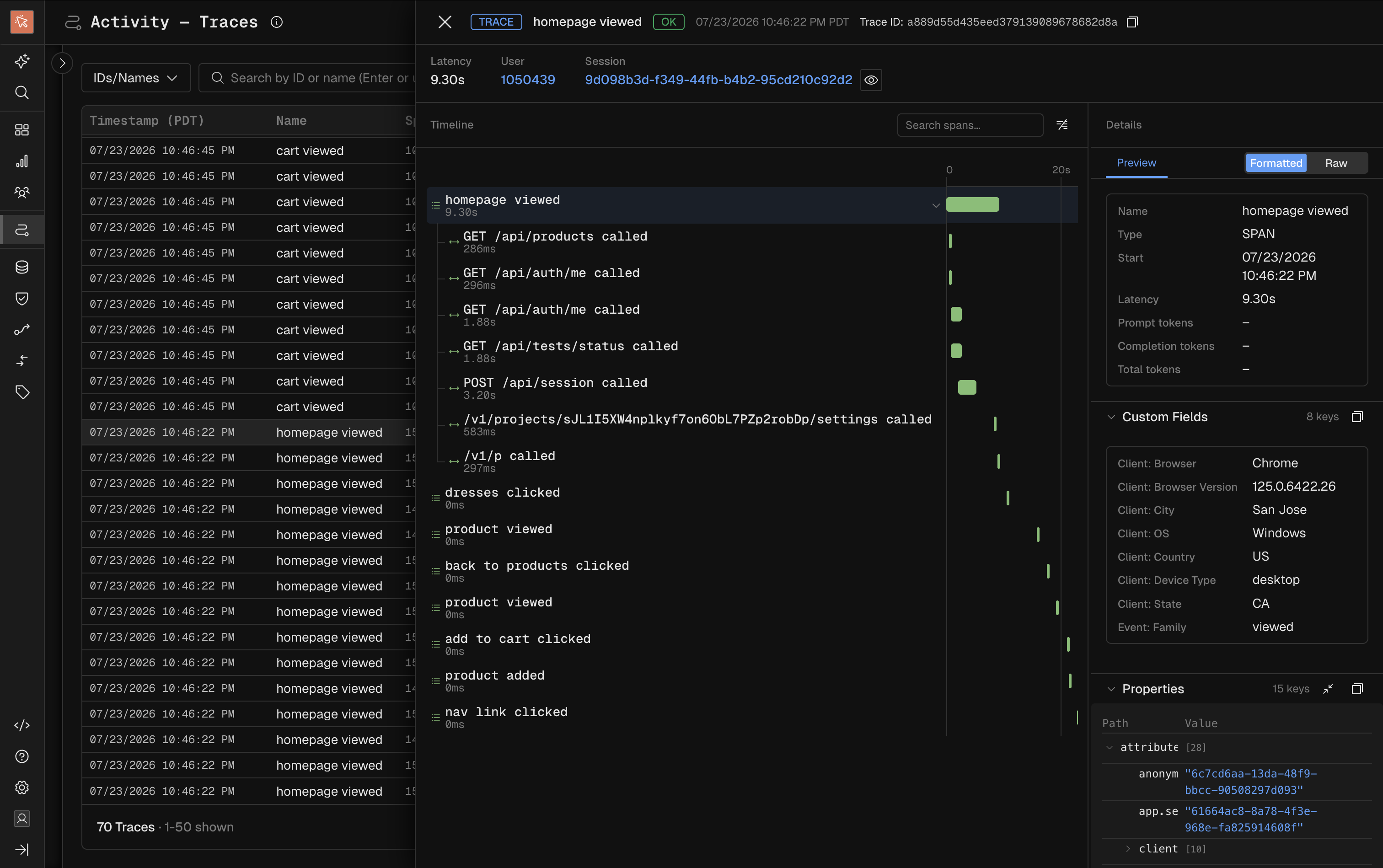
The clickstream events from your interactions with the web interface will be generated by Sentry and streamed over OTel into the User Demo workspace in Kubit Demo. You can find the integration status in Data - Pipeline as well.
In Activity, you can find the traces and their span/event children, which form a timeline indicating the sequence of events and their relationship.
Unified Analytics
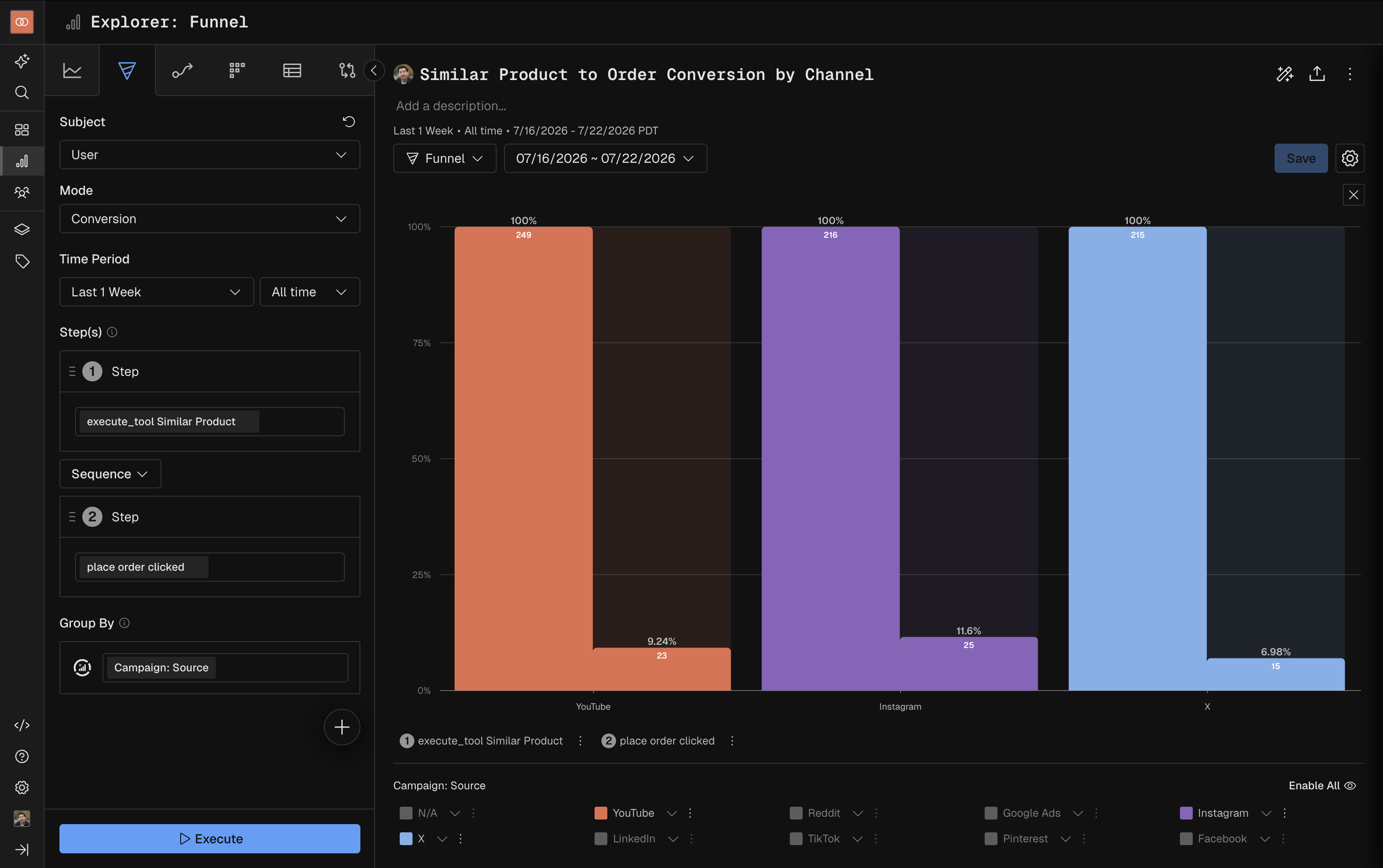
The Agent Demo and User Demo data will both ended up in Snowflake fact tables. The Unified Demo workspace unions these fact tables and joins with other dimension tables like Campaign through Modeler, a semantic layer for the data model.
Here you can finally connect agent actions to user activities and get the insights like this: conversion funnel from agent suggesting similar products to user placing orders, by acquisition channels.
Next steps
Take Product Tours to explore the Demo Workspaces.
Analyze agent traces in Agent Activity