
Orgs and Workspaces
Think of it like GitHub. The org is the top-level container (as a billing entity), and workspaces are the repos inside it. One org, many workspaces. This structure is useful when you have separate products or environments and want the data captured independently.
Organization
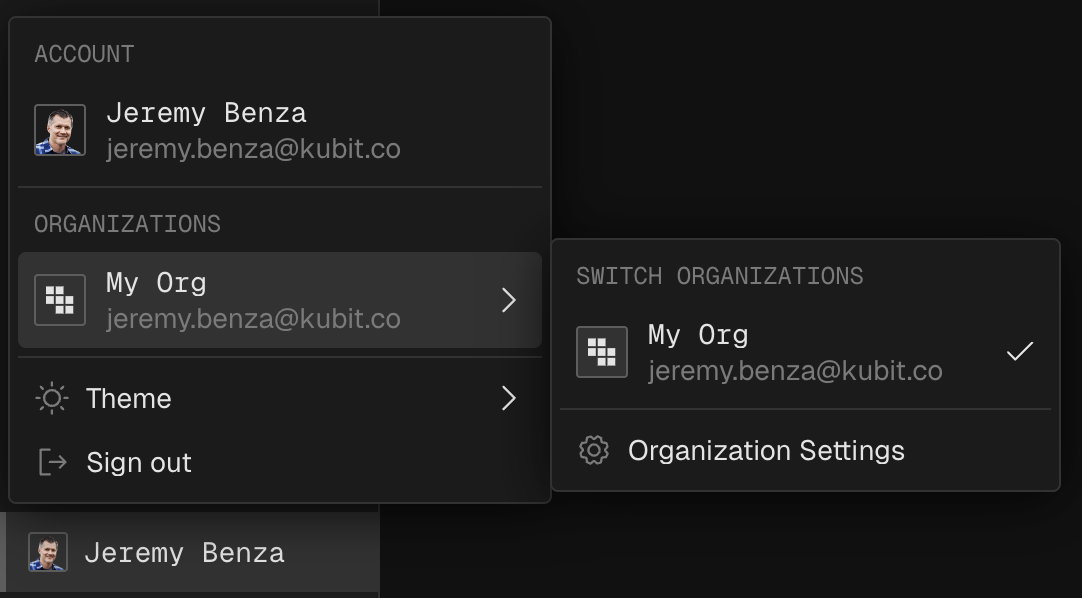
Your account may join multiple organizations, including the default "My Org".
In the bottom-left corner, click your avatar.
You'll see your account info along with the organizations you belong to.
Team and Role
Team members are managed Org level. Each account can be assigned with separate roles at for the Org and each Workspace. For more details, see Permissions.
Switch workspace
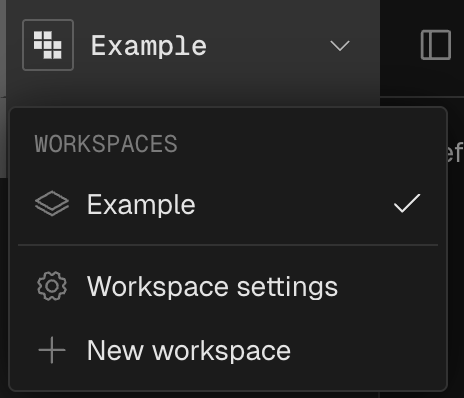
In the top-left corner, click the workspace switcher.
Toggle between any workspace within your current org.
Create Workspace
You can create a workspace from the Switch Workspace menu, or go to Settings - Organization - General.
Config Workspace Context properly is important to tell Kubit about your company, product, and categories, in order to enrich and label the traces it ingests better.
You can always go back to Settings - Workspace - Context to change the Workspace Context later. Also potentially use Integrations - Replay (coming soon) to reprocess historical data.
Replay will have billing impact since usage is billed monthly based on total processed Traces (including Replays) across all workspaces.
Next steps
Take a tour of the Demo Store to see Kubit in action.