
Overview
Welcome to Kubit! Here are some quick steps to get started.
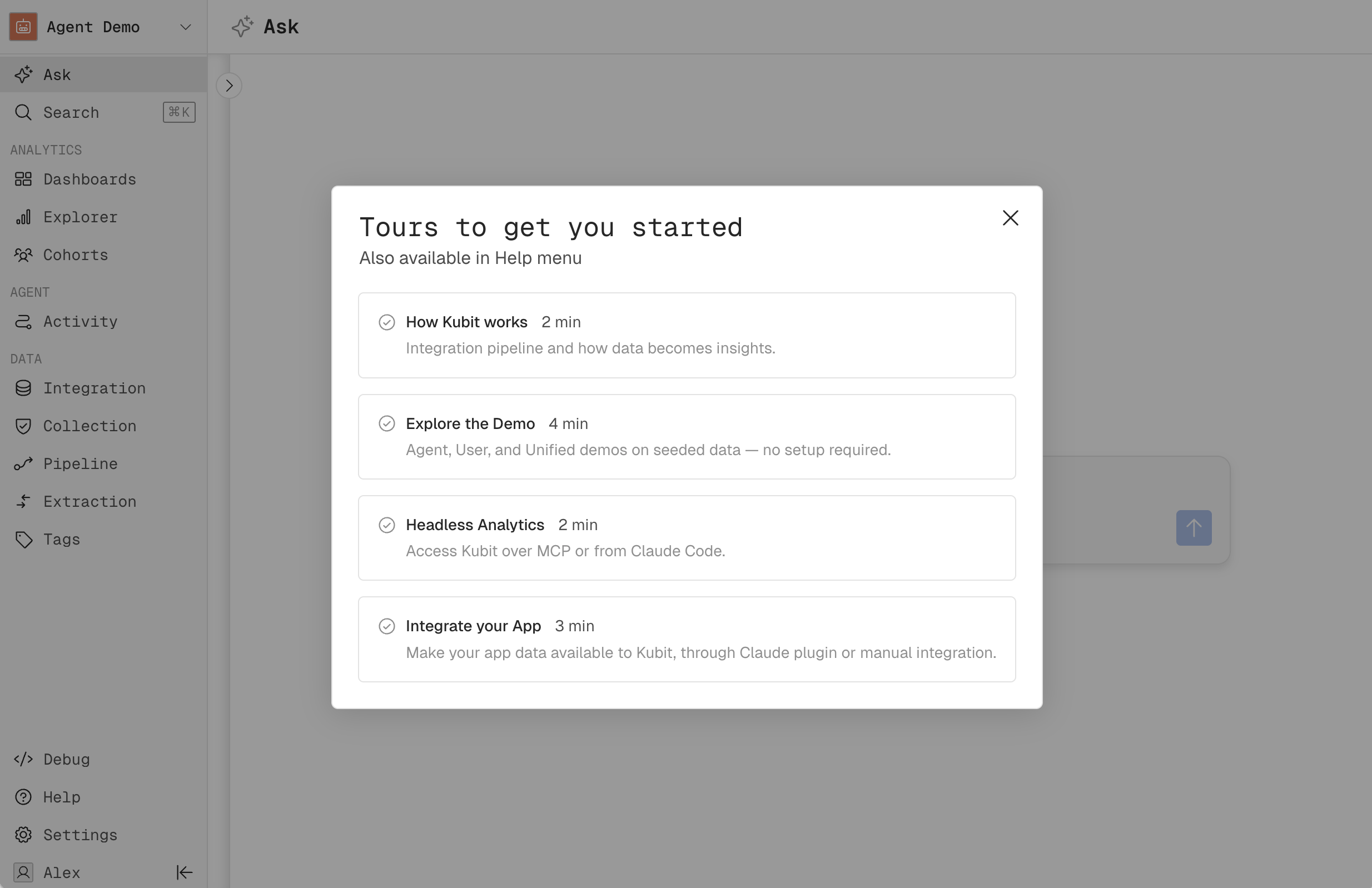
Take the Product Tours
You can always access the tours from the Help menu.
How Kubit Works
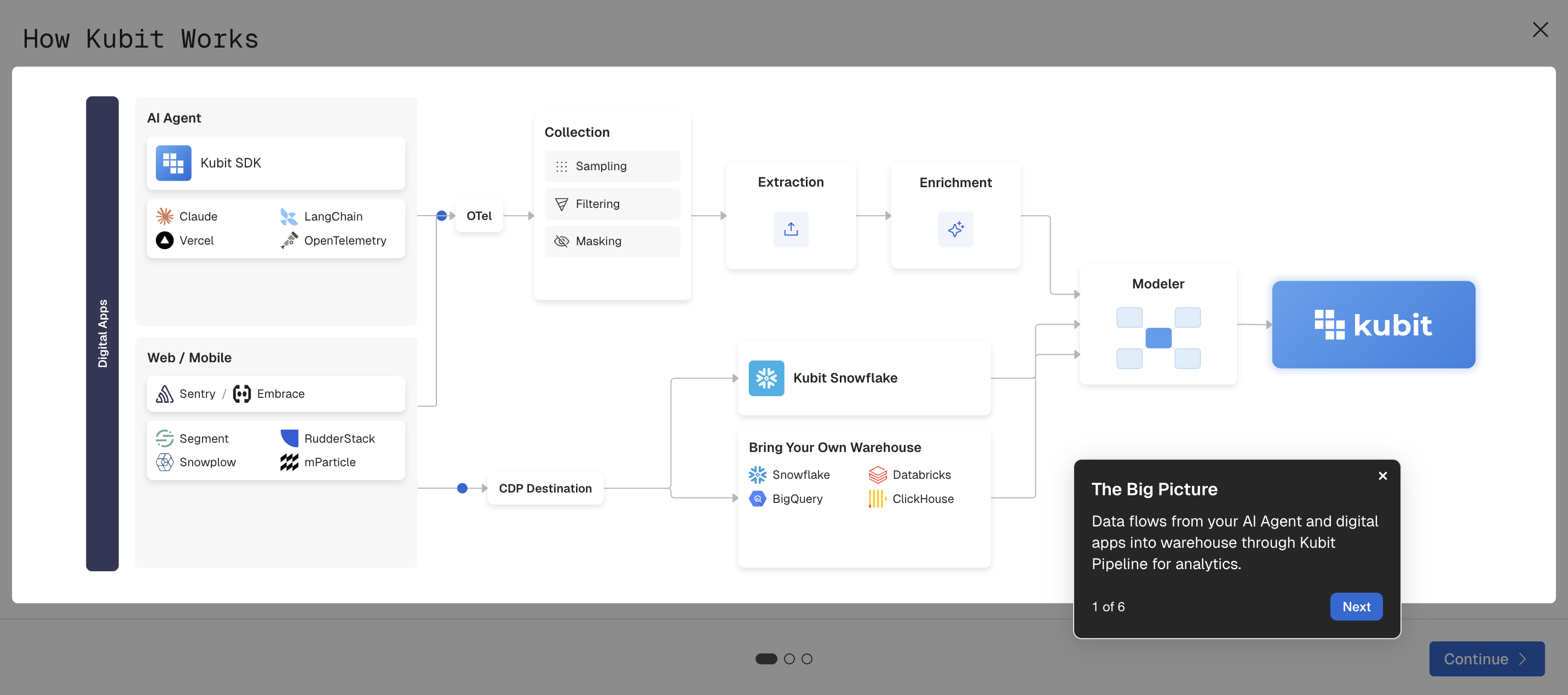
For more details, check out Integrate Your App, or Warehouse-Native.
Explore the Demos
Demo Workspace contains traces and events from our Demo Store, where you can interact with and generate live data.
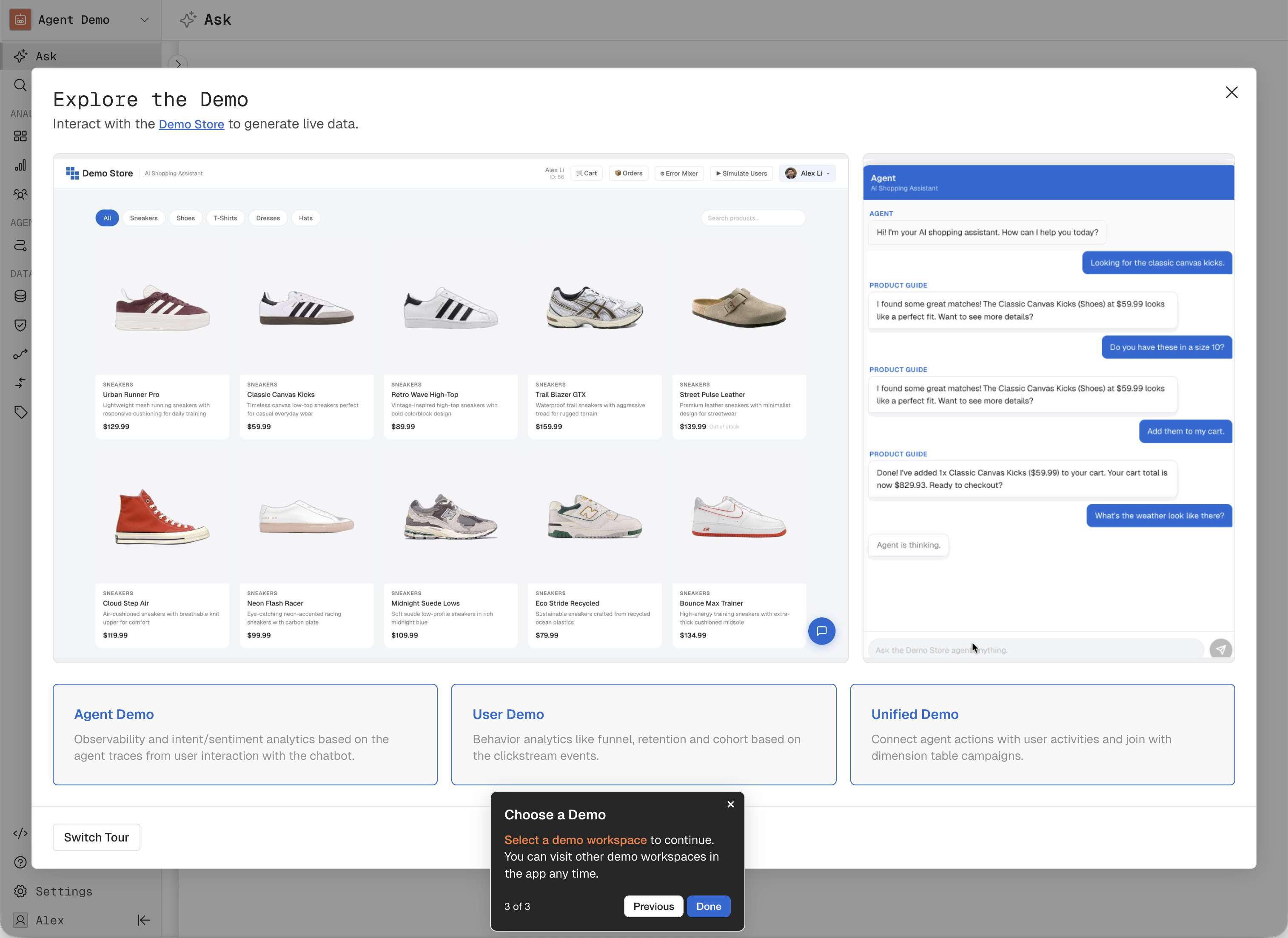
There are three demo workspaces to explore:
Agent: Observability and intent/sentiment analytics based on the LLM traces generated from interactions with the chatbot.
Use cases: find intents with highest token cost, drill through to breakdown by platform; then review agent traces for select cohort.
User: Behavior analytics like funnel, retention and cohort based on the clickstream events from interactions with the web app.
Use cases: review purchase funnel, filter by Mobile, then see the cohort and the timeline details of every trace (e.g. page views).
Unified: Connect agent actions with user activities and join with dimensions.
Use cases, analyze the conversion funnel from Agent
suggesting similar productsto Userplacing orders, and breakdown bycampaign source.
Demo Store
Interact with the AI shopping agent in our Demo Store to generate traces to analyze in Kubit
Chat with the agent like you are buying shoes: ask product questions, make purchases or check order status
Use the Error Mixer to artificially cause agent failures
Click on Simulate Users to create random traces with automation
Verify agent activity and analytics in Kubit (note: It may take 10-15 minutes for analytics to update).
Headless Analytics
Learn how to connect to Kubit MCP Server and integrate Kubit Skills for Claude Code.
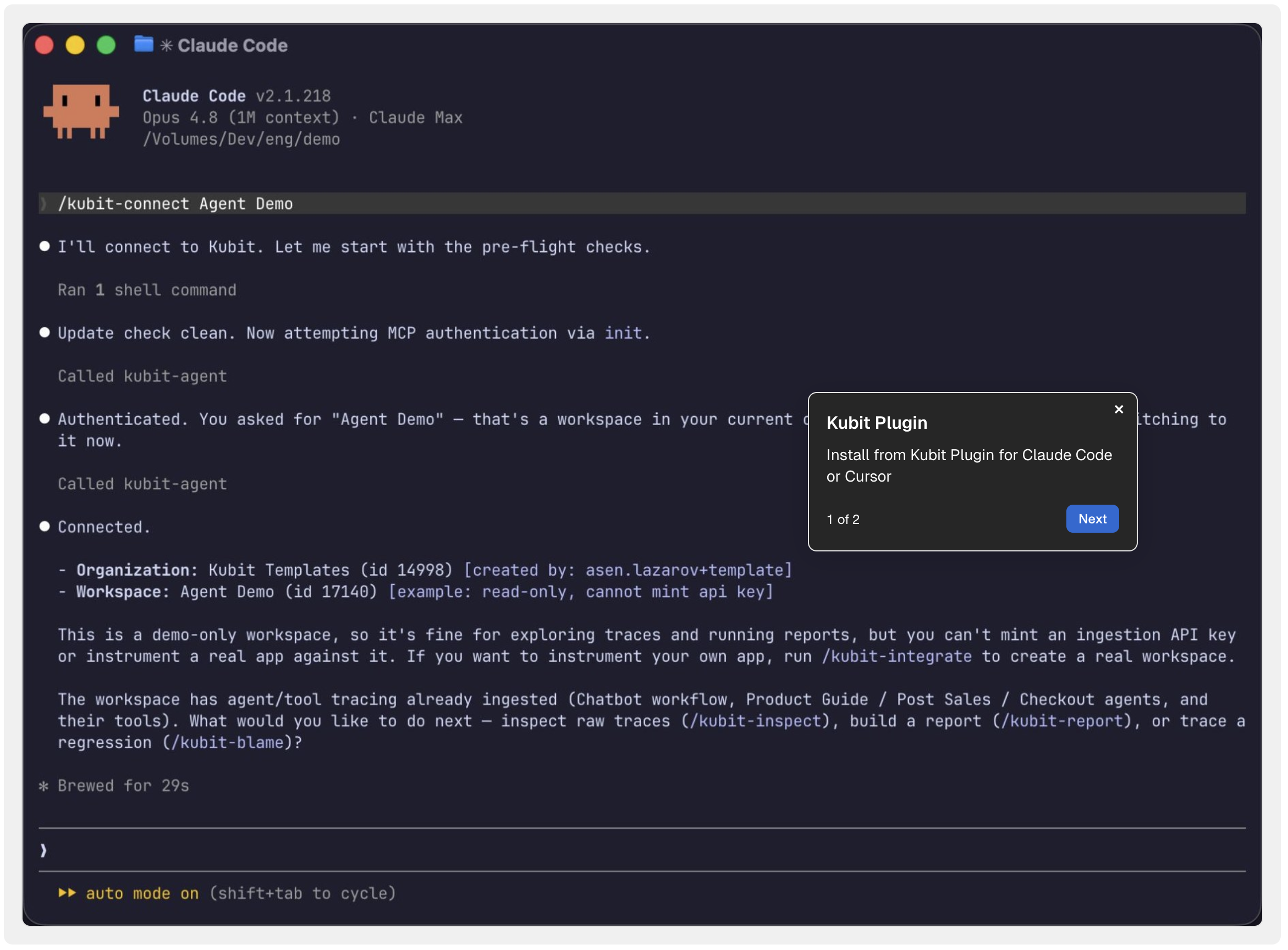
Integrate Your App
Agent Traces
For your agent application which generates LLM traces:
Kubit SDK: Install Kubit plugin and integrate your project. It will take you through all the necessary steps including sign up and onboarding
npx @kubit-ai/agent-plugin
claude # or open Cursor
❯
/kubit-integrate❯
/kubit-inspectManual OTel: connect Kubit to your OpenTelemetry pipeline or directly use OTel SDK.
With either approach, your LLM traces will be sent to Kubit Collector where you have full control over the pipeline, including sampling, filtering, masking and extraction mapping.
For more information about instrumentation, check out Instrument AI Application.
User Activities
For clickstream events from web/mobile applications:
Sentry/Embrace over OTel: if you are using Sentry or Embrace as APM or observability tool for your digital apps, use our SDK to bridge these traces to OTel and send to Kubit.
CDP Destination: config Kubit as a destination in your CDP (Segment, Snowplow, Rudderstack, mParticle) to stream events over.
Bring Your Own Warehouse
If you already have agent traces and/or user events, dimension tables in your own cloud data warehouse (e.g. Snowflake, Databricks, BigQuery or ClickHouse), you can use our Modeler workspace and dynamically connect to it. With our Zero Copy approach, there is no ETL and you maintain full control over your data. Please see Warehouse-Native for details.