
Snowflake
Connect Kubit directly to Snowflake so it queries your data in place. You provision a dedicated role, user, database, and warehouse, then grant Kubit read only access to the schemas it should see. Nothing is copied out of your account.
Steps
1. Create a role
Create a role named KUBIT.
CREATE ROLE KUBIT;
2. Generate a key pair
Kubit authenticates with key pair auth. See Snowflake's guide for details.
openssl genrsa 2048 | openssl pkcs8 -topk8 -v2 des3 -inform PEM -out rsa_key.p8
openssl rsa -in rsa_key.p8 -pubout -out rsa_key.pub
3. Create a user
Create a user named KUBIT and set the public key from the previous step.
CREATE USER KUBIT RSA_PUBLIC_KEY ='MIIBIjANBgkqh...' DEFAULT_ROLE=KUBIT;
4. Create a database
Kubit needs a small auxiliary table to support some features.
Create a database named KUBIT.
CREATE DATABASE KUBIT;
Make the KUBIT role the owner of the database so it can create and run the tasks that require an owner role.
GRANT OWNERSHIP ON DATABASE KUBIT TO ROLE KUBIT;
5. Create a warehouse
Create a warehouse named KUBIT, sized to your data volume, and grant the KUBIT role MONITOR, USAGE, and OPERATE privileges.
CREATE OR REPLACE WAREHOUSE KUBIT WAREHOUSE_SIZE=... INITIALLY_SUSPENDED=TRUE;
GRANT MONITOR ON WAREHOUSE KUBIT TO ROLE KUBIT;
GRANT USAGE ON WAREHOUSE KUBIT TO ROLE KUBIT;
GRANT OPERATE ON WAREHOUSE KUBIT TO ROLE KUBIT;
6. Grant access
Give the KUBIT role read only access with SELECT on FUTURE to the schemas containing the views that interface with Kubit.
7. Share connection details (optional)
If you want help setting up your environment, share your Snowflake account locator, private key and key password, and warehouse name with the Kubit team.
8. Split test and production workloads (optional)
As a best practice, create a second role, user, and warehouse for development. Isolating development from production avoids accidental impact on live workloads.
Best practices
Clustering keys
Kubit works with time series data, so clustering the fact tables by date is essential for performance on tables larger than 1TB. Because most Kubit reports also filter by event name, adding event name as a second cluster column helps. See Snowflake's clustering keys reference.
Warehouse configuration
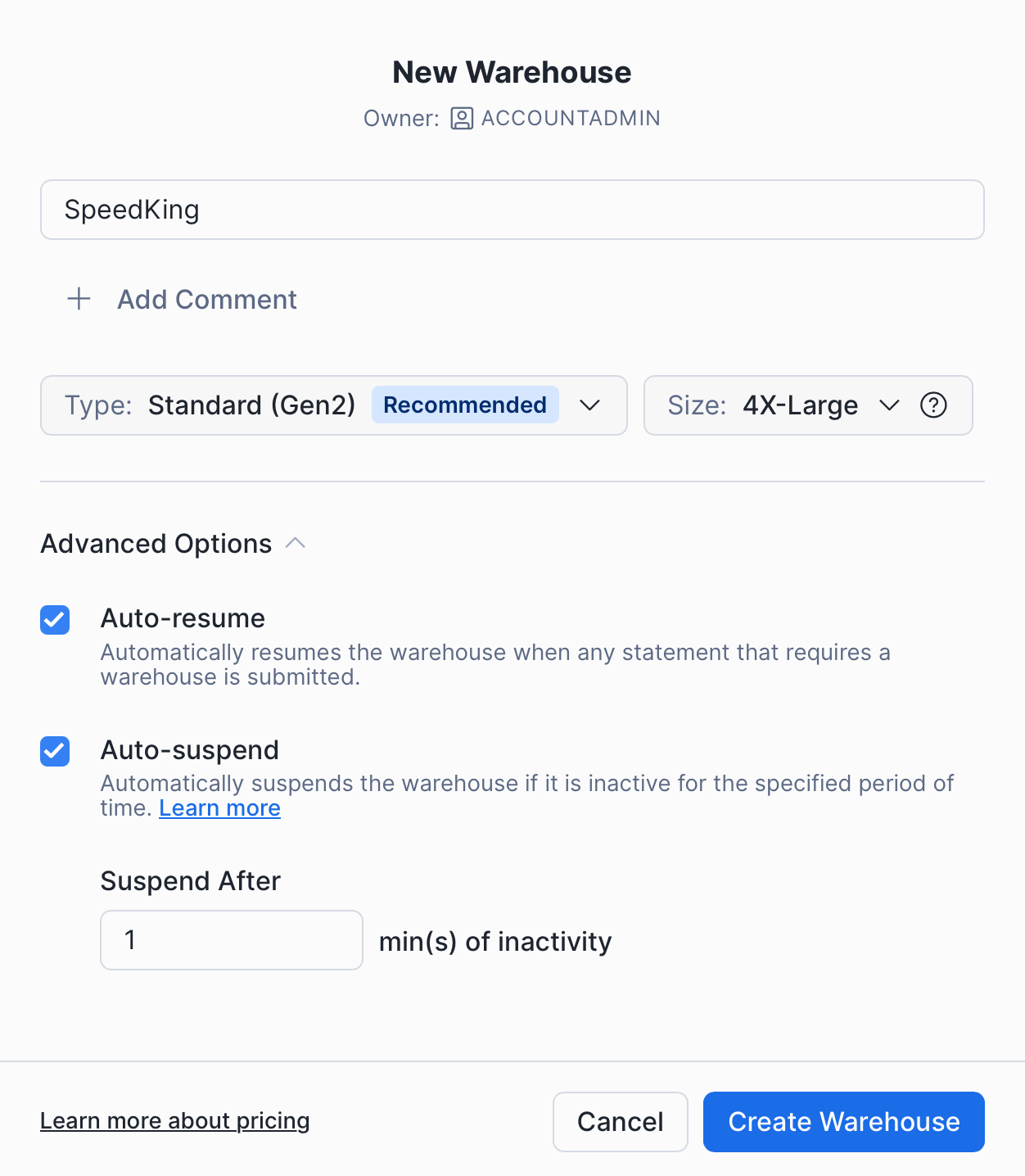
Four parameters matter when creating the warehouse:
Type. Gen2 is recommended for analytical workloads.
Size. Start small and scale only on evidence from Query History. If reports feel slow, inspect them with Query Profile and watch for bytes spilled to disk above 0. Frequent spilling means you need a larger size.
Auto resume. Keep this on so any activity wakes the warehouse.
Auto suspend. This controls how long the warehouse idles after queries finish. The tradeoff is cost savings versus a few seconds of wake up time on some reports. We recommend the minimum, 1 minute.
Next steps
Understand the model: Warehouse Native
Allow Kubit through your firewall: IP Whitelist