
Integration Overview
You can control how data enters Kubit, how it is cleaned and shaped, and how it is modeled for analysis. Which tools you see depends on how your workspace gets its data.
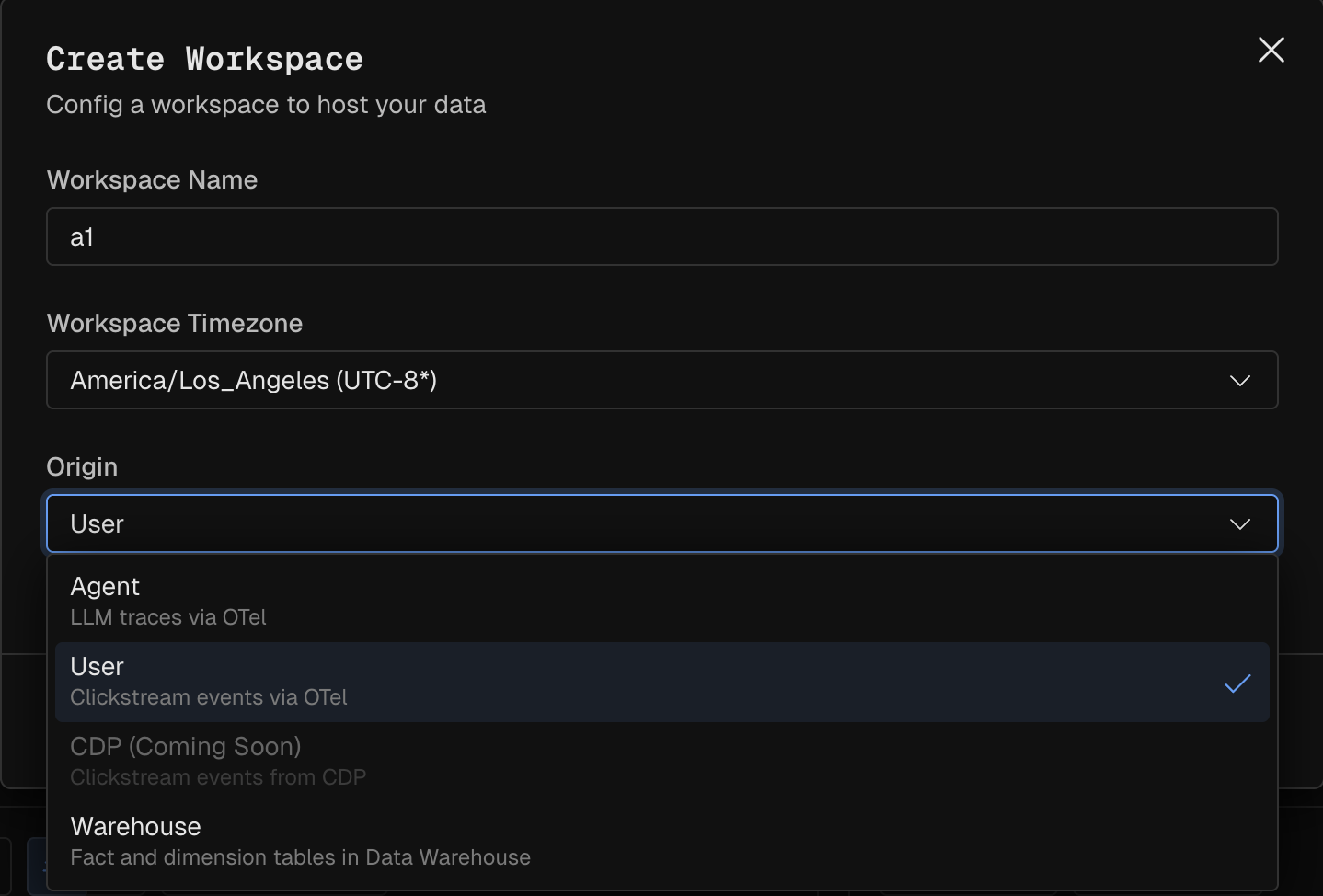
Workspace types
You choose a type when you create a workspace, and it determines the tools available under Data.
Agent - You send agent traces to Kubit's OTLP endpoint over OpenTelemetry. You can control sampling, filtering and masking in Collection, then Extraction mapping.
User - You use kubit-sentry SDK to bridge already instrumented Sentry events over OTel to stream to Kubit.
CDP - Config your CDP (Segment, Snowplow, mParticle, Rudderstack) to send clickstream events to either your own or Kubit hosted cloud data warehouse.
Warehouse - Kubit queries data already in your warehouse. You model it with the Modeler instead of ingesting and extracting it.
Pipeline
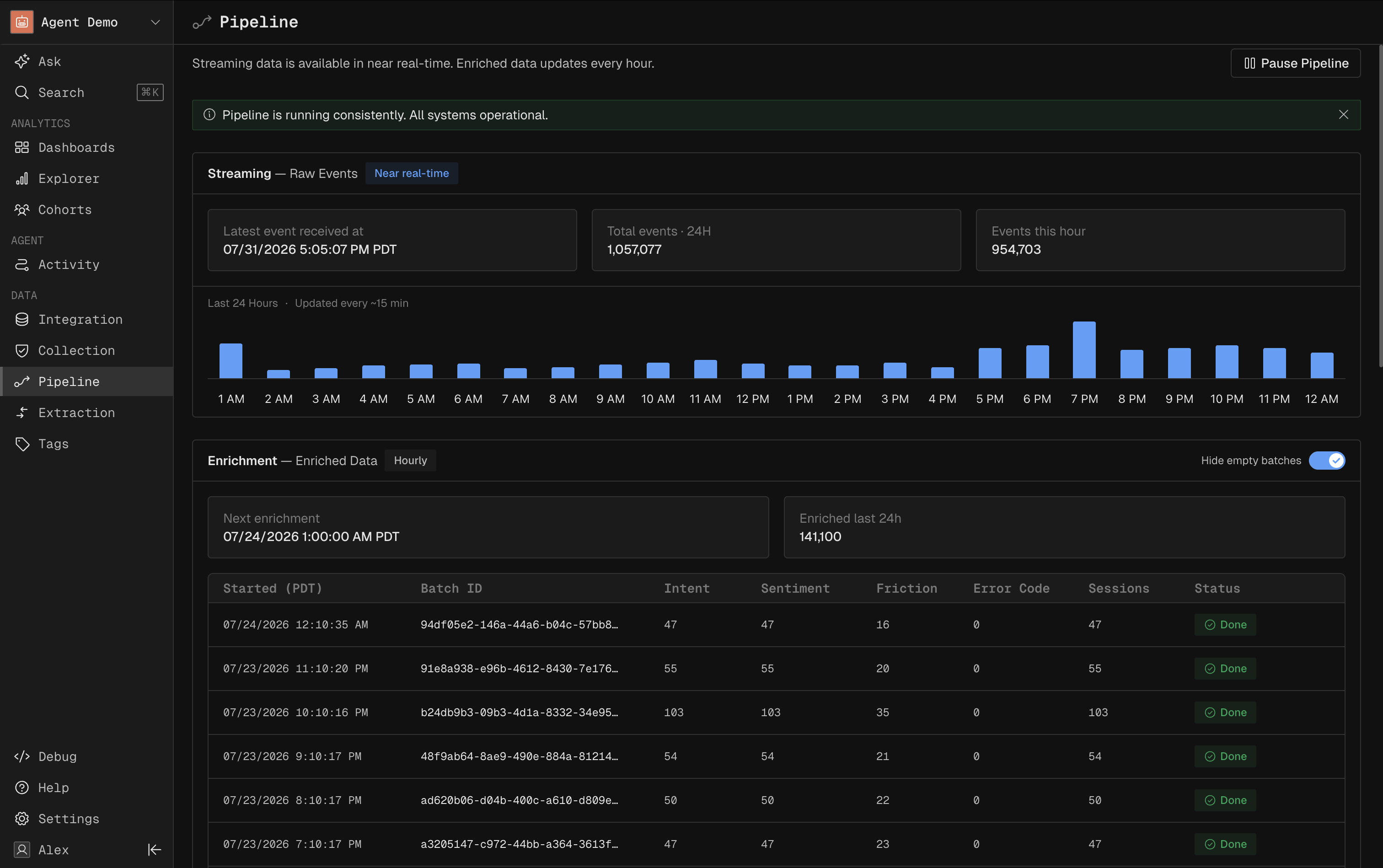
The Pipeline is the health check for your data, not the place to inspect individual conversations.
Streaming shows raw events in near real time: latest event received, volume over the last 24 hours, and events landed this hour.
Enrichment is the hourly batch that derives intent, sentiment, and resolution. You see the next scheduled run and recent batches with their status.
Raw Files holds the unprocessed payloads as received.
Replay reprocesses stored data, which you use after changing a mandatory extraction field or model logic.
Collection
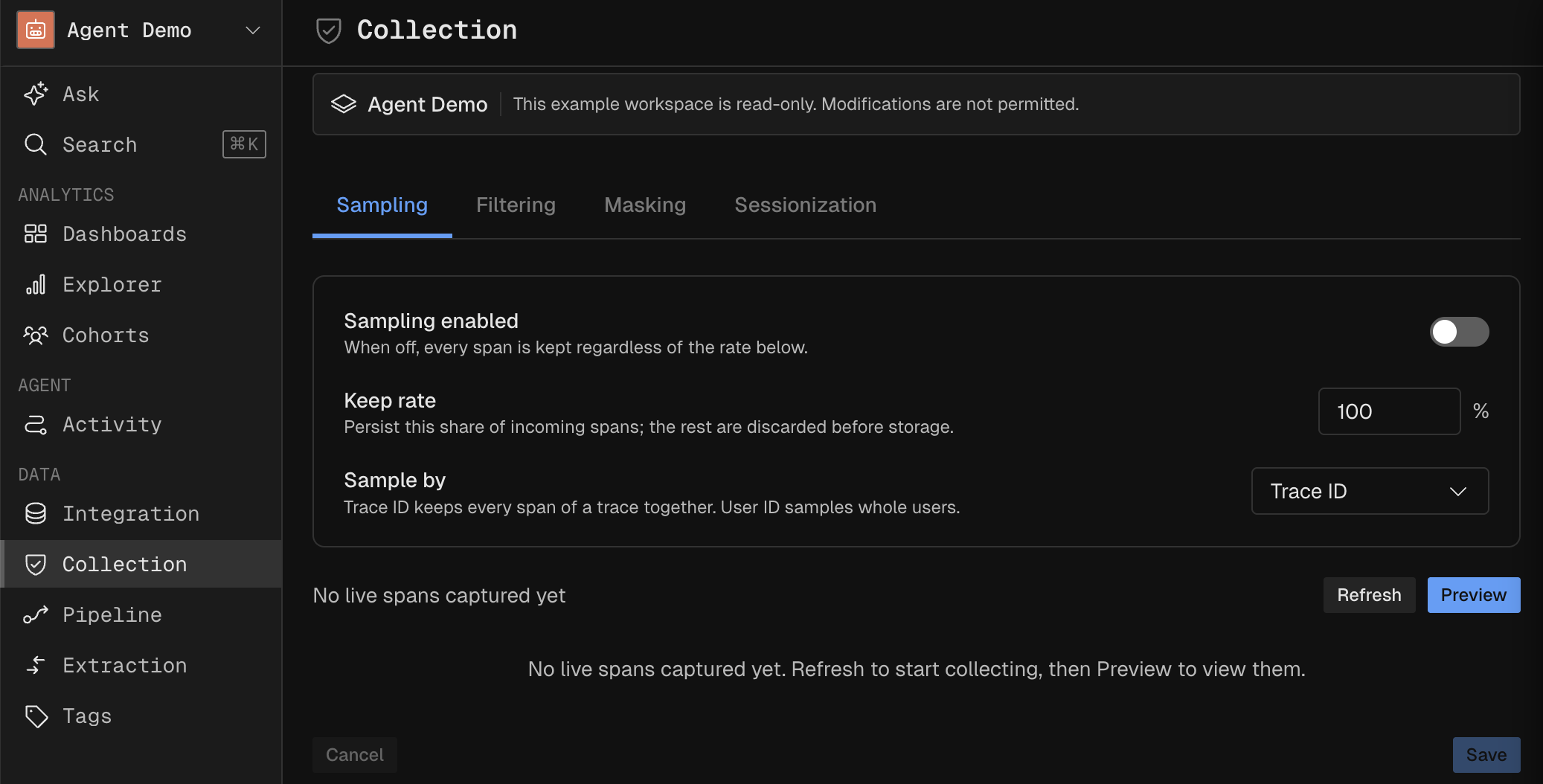
Collection applies to OpenTelemetry workspaces. It processes incoming spans in three steps before they are stored: Sampling, Filtering, and Masking. You can simulate the effect against a set of live spans before committing changes.
Sampling
Sampling reduces volume. Client side sampling gives you the most control, so treat server side sampling as a last resort.
Pick one JSON element to sample by, given as an extraction path. A subject identifier like
attributes['user_id']is the safest choice.Set whether null values are sampled. With it off, spans missing the identifier (anonymous cases) are ingested in full.
Choose a rate from 0 to 100 percent, and optionally a hash algorithm and salt.
Changing sampling is a confirmed action, since it affects what data you keep.
Filtering
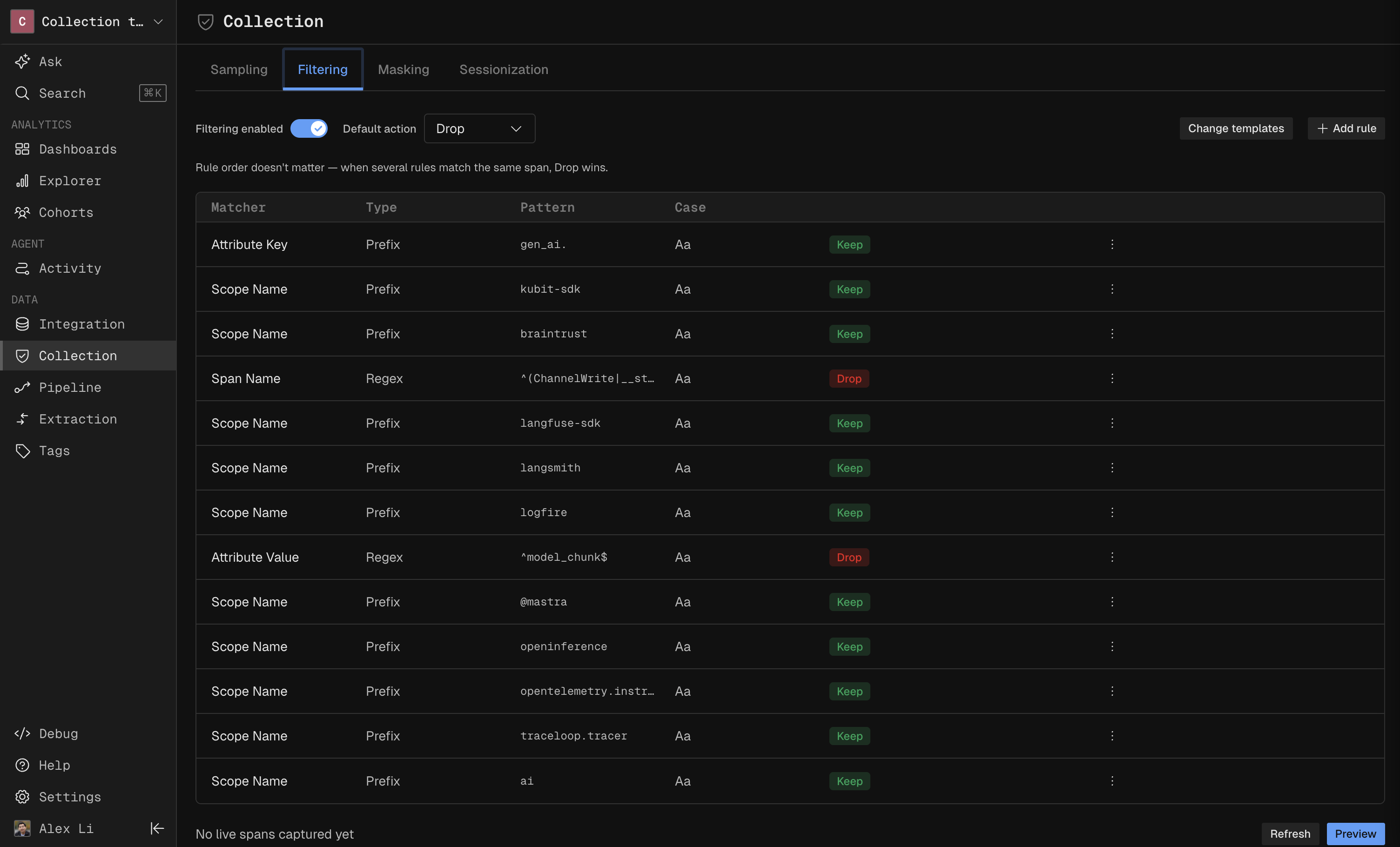
Filtering decides which spans to keep. Rules are Keep or Drop, applied in order, so order matters when rules overlap. Built in rules are listed alongside your custom rules, and you can build new rules directly from live spans or from any span in Activity.
Masking
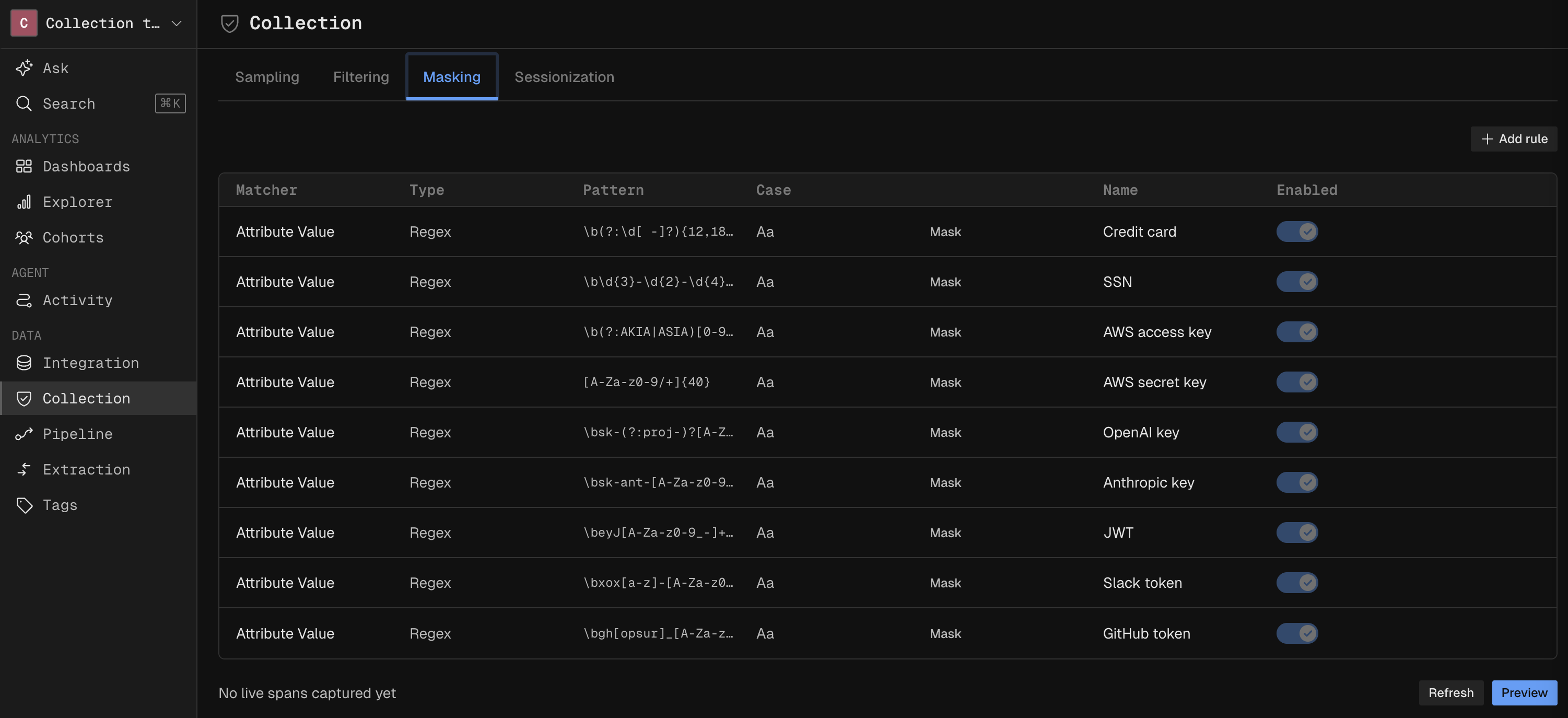
Masking protects sensitive fields. It uses the same matcher, type, pattern, and action style as Filtering, so a field can be redacted before it is ever stored.
Sessionization
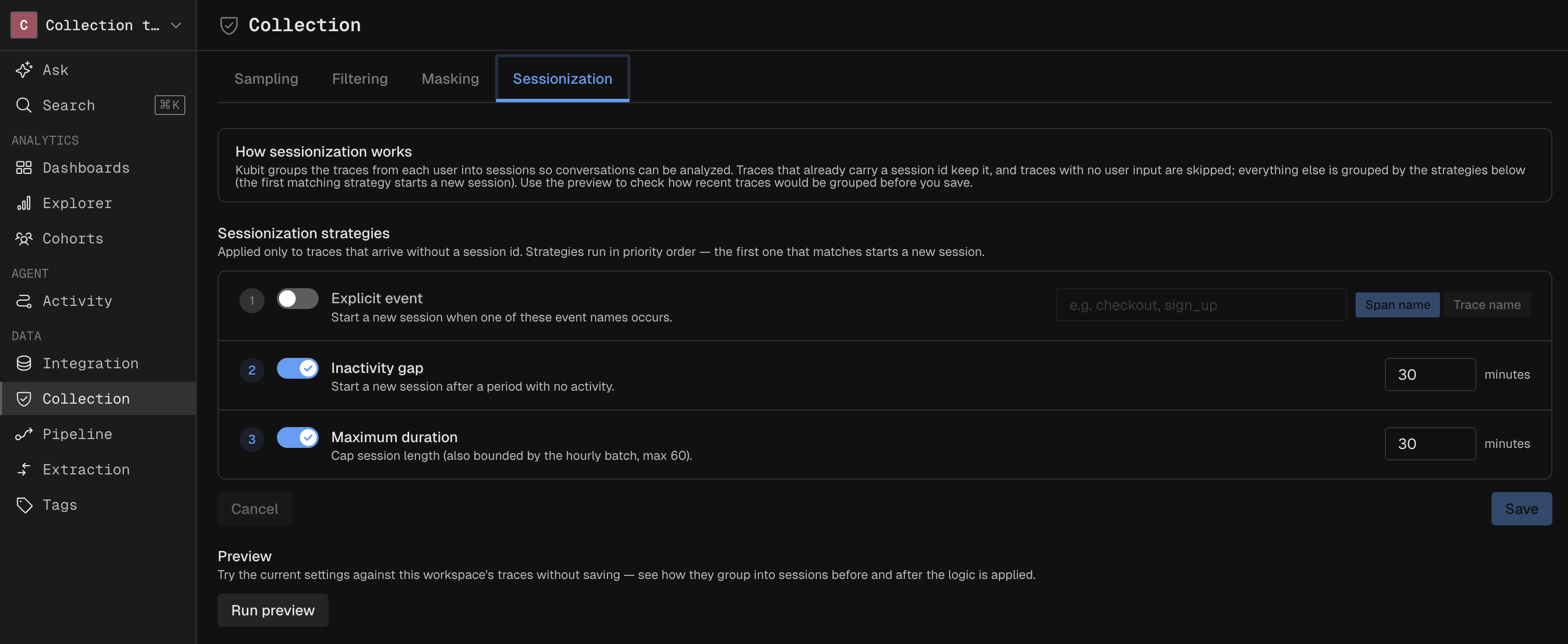
Choose a strategy for Kubit sessionize your traces in order to group them together for intent and sentiment enrichment.
Extraction
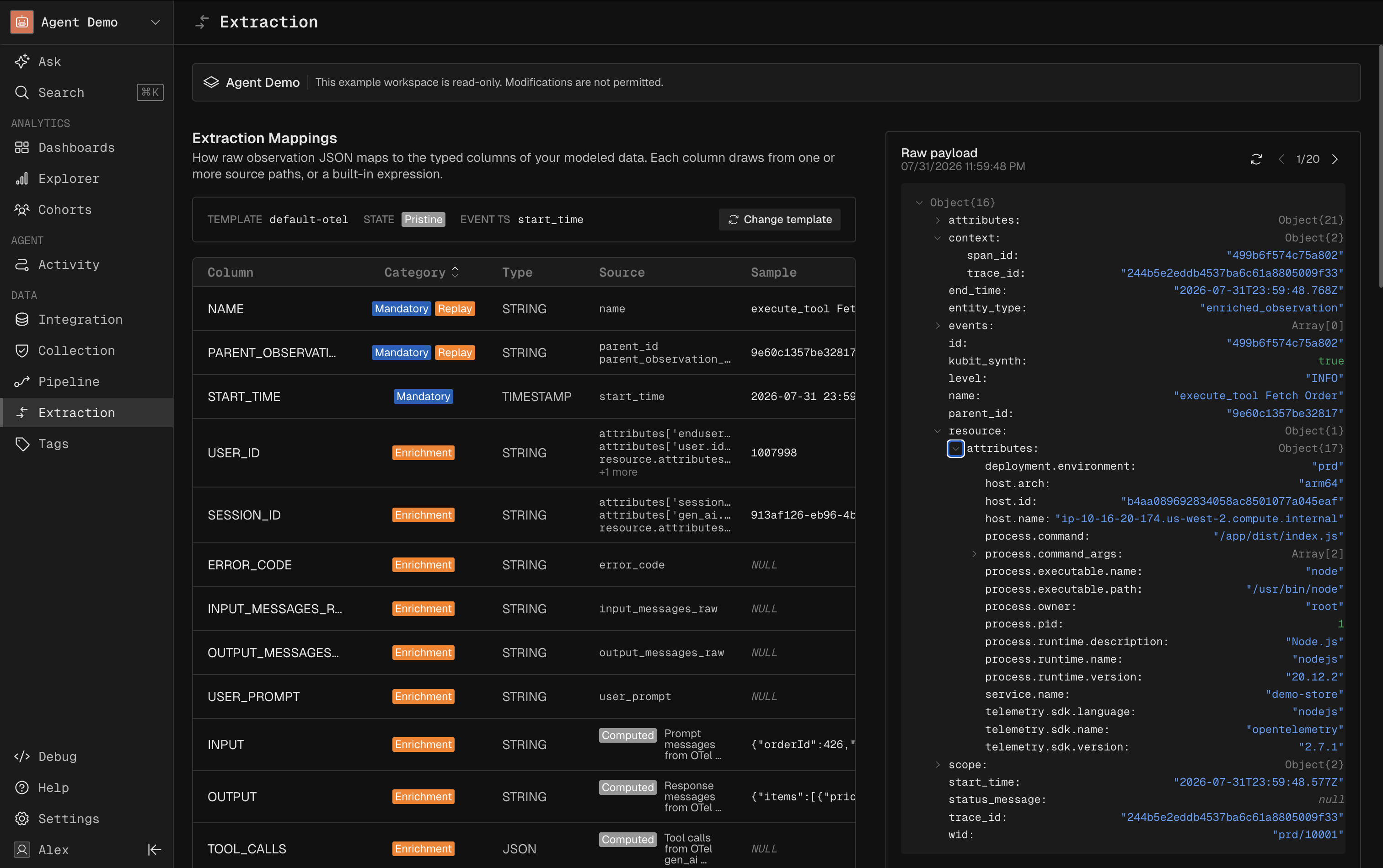
Extraction applies to OpenTelemetry workspaces. It maps each span's JSON payload to fields using an extraction path, working at the row level on a single source view. For joins or advanced logic, use the Modeler.
Fields fall into four groups:
Mandatory - The minimum set Kubit needs to function (id, name, timestamp). Changing these usually requires a Replay.
Recommended - Common analytical fields such as model name, tokens, and cost.
Enrichment - Fields the enrichment job needs, such as input, output, and user id.
Custom - Fields you add with your own extraction path.
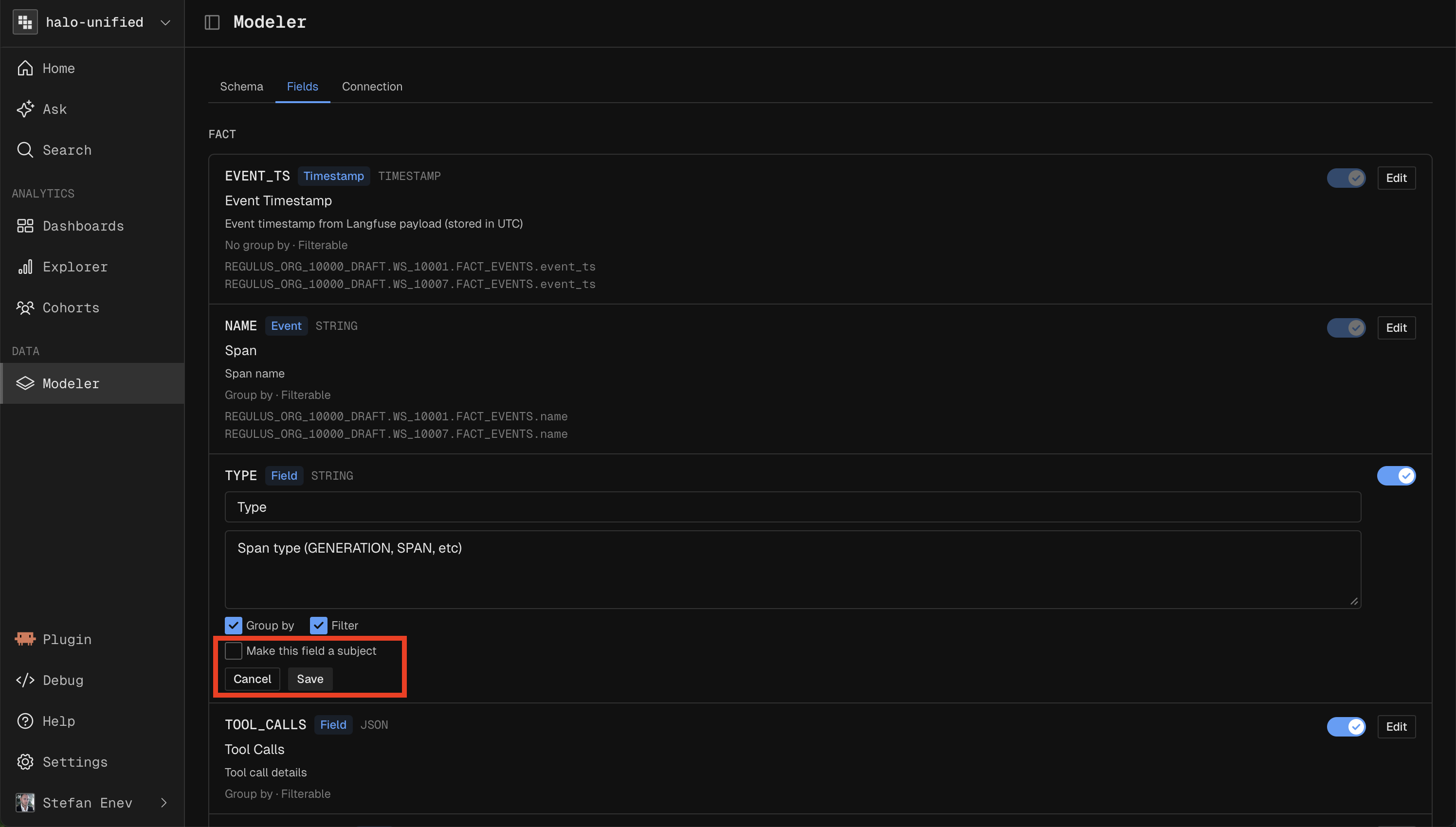
Select a field to see which JSON elements it maps to, highlighted in the payload, and set which field acts as a subject.
Modeler
The Modeler is the full modeling tool, used to join and combine sources rather than extract from a single view. It supports source views joined to dimension tables, a union of Agent and User source views joined to dimensions, and fully custom union models.
Connection
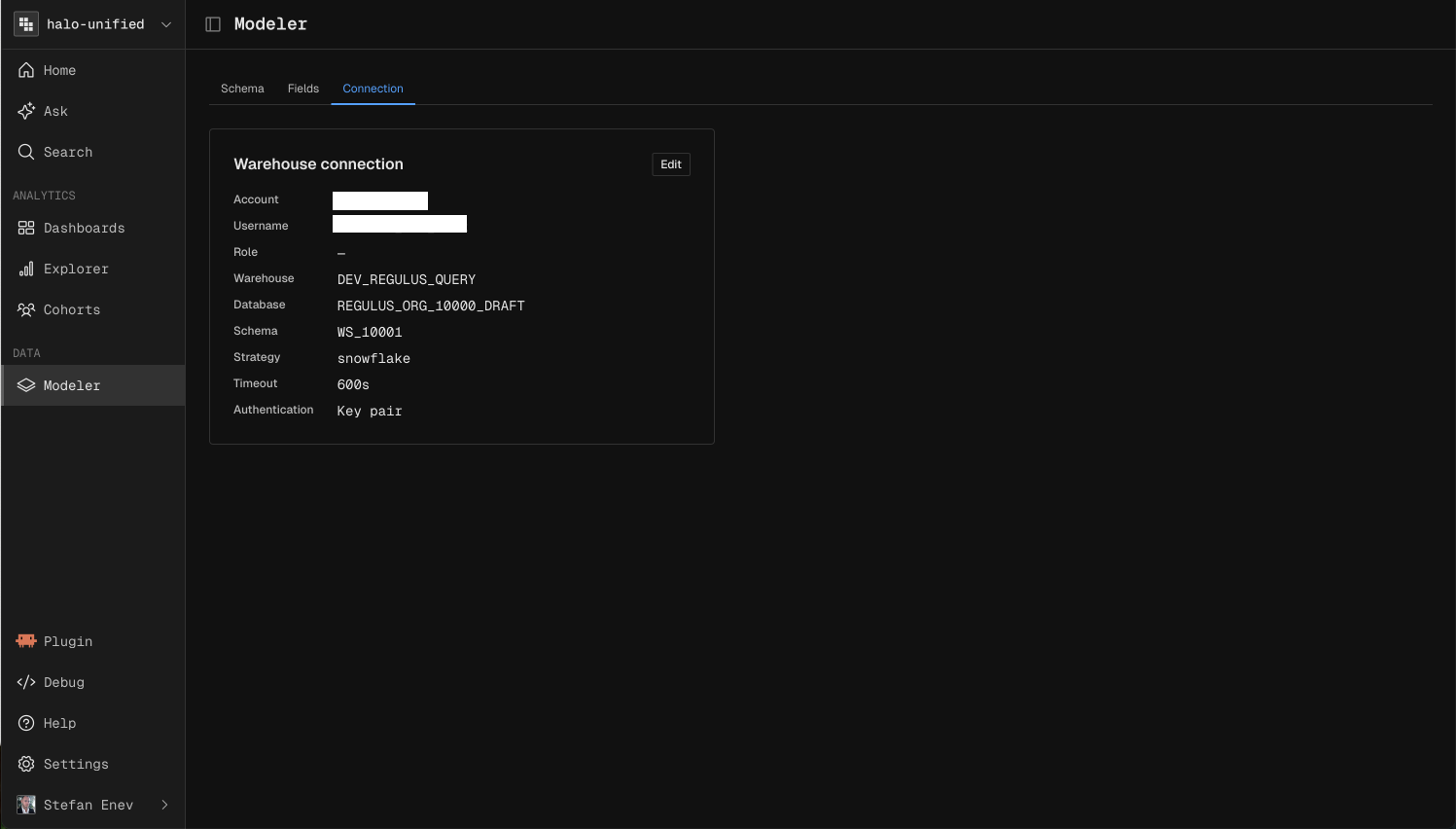
Reference another workspace or configure a JDBC connection manually.
Schema
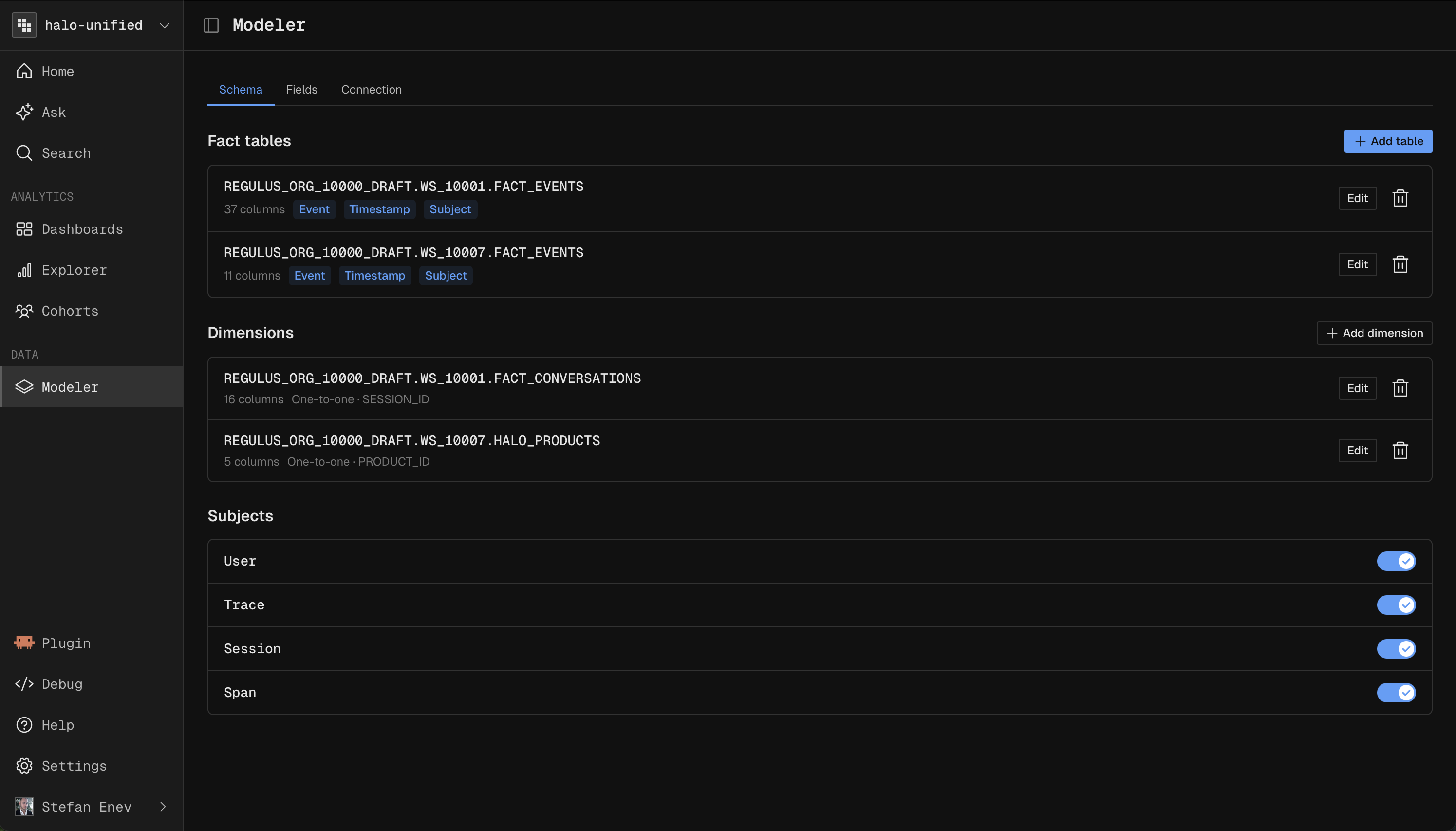
The Schema defines your tables and how they join.
Custom Columns are SQL expressions, used in join conditions or to expose read only logic.
Fact tables include source views and fact unions. Dimension tables are joined to facts to enrich them.
For Data Sharing customers the Schema is read only, while Fields stay editable.
Subjects
Subjects are the identifiers you count and group by, defined from columns only.
At least two are required: an event or span subject and a user subject.
OpenTelemetry workspaces default to four: Span, Trace, Session, and User.
You can add or edit subjects, but not delete them.
Fields
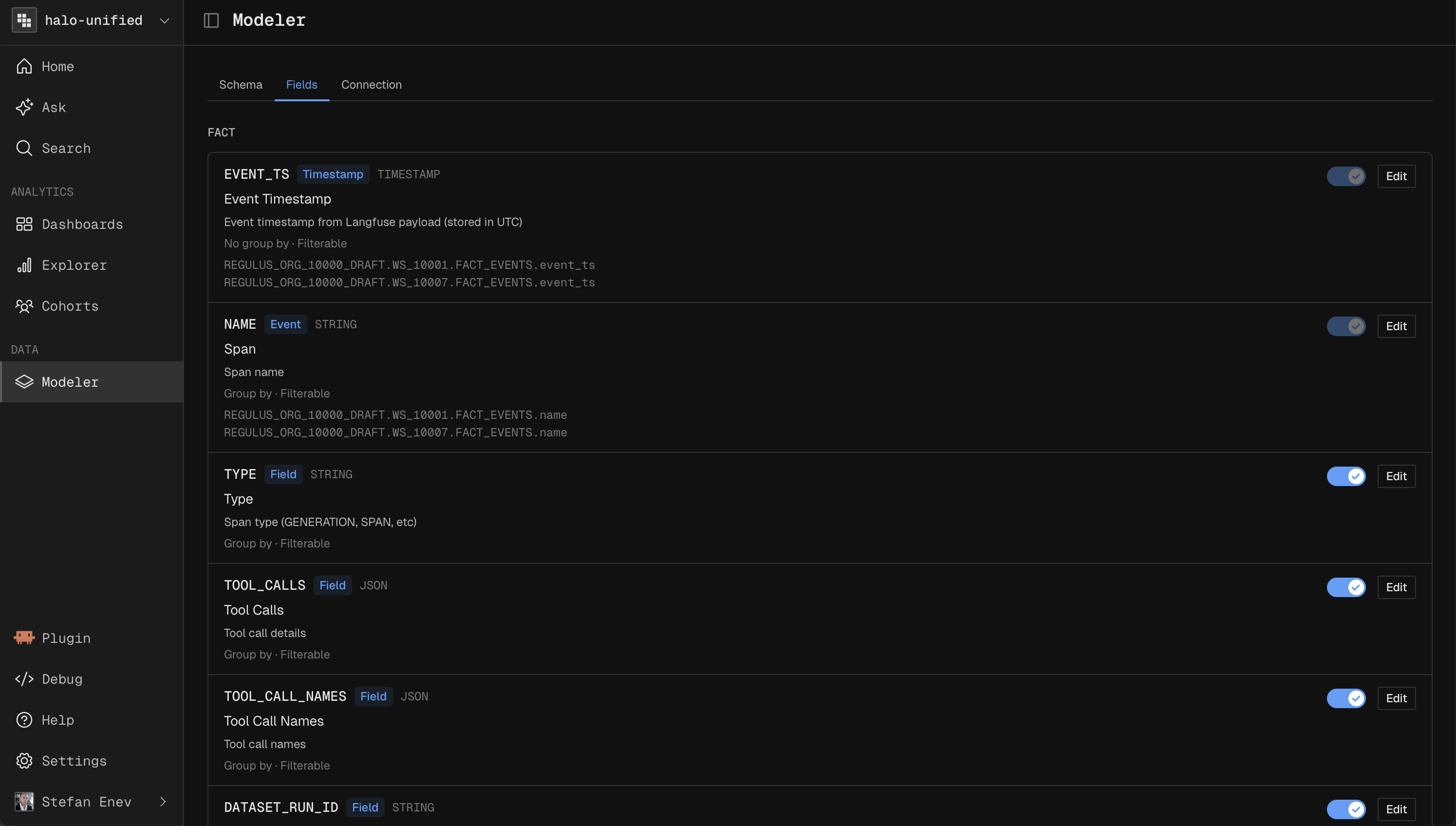
Fields are what you analyze in reports.
Custom Fields are defined in SQL referencing table or custom columns.
In OpenTelemetry workspaces, all extracted fields are enabled here automatically. Add further extraction based fields in Extraction, not here.
Each field can be enabled or disabled and made available as a breakdown or filter.
Next steps
Send traces to Kubit: Integrate your App
Query your warehouse in place: Warehouse Native Architecture
Understand the enrichment fields: Conversation Intelligence