
kubit-report
Find, open, create, and modify Kubit analytics reports — for trends, aggregates, and behavior analysis across traces, sessions, intents, costs, and users.
What it does
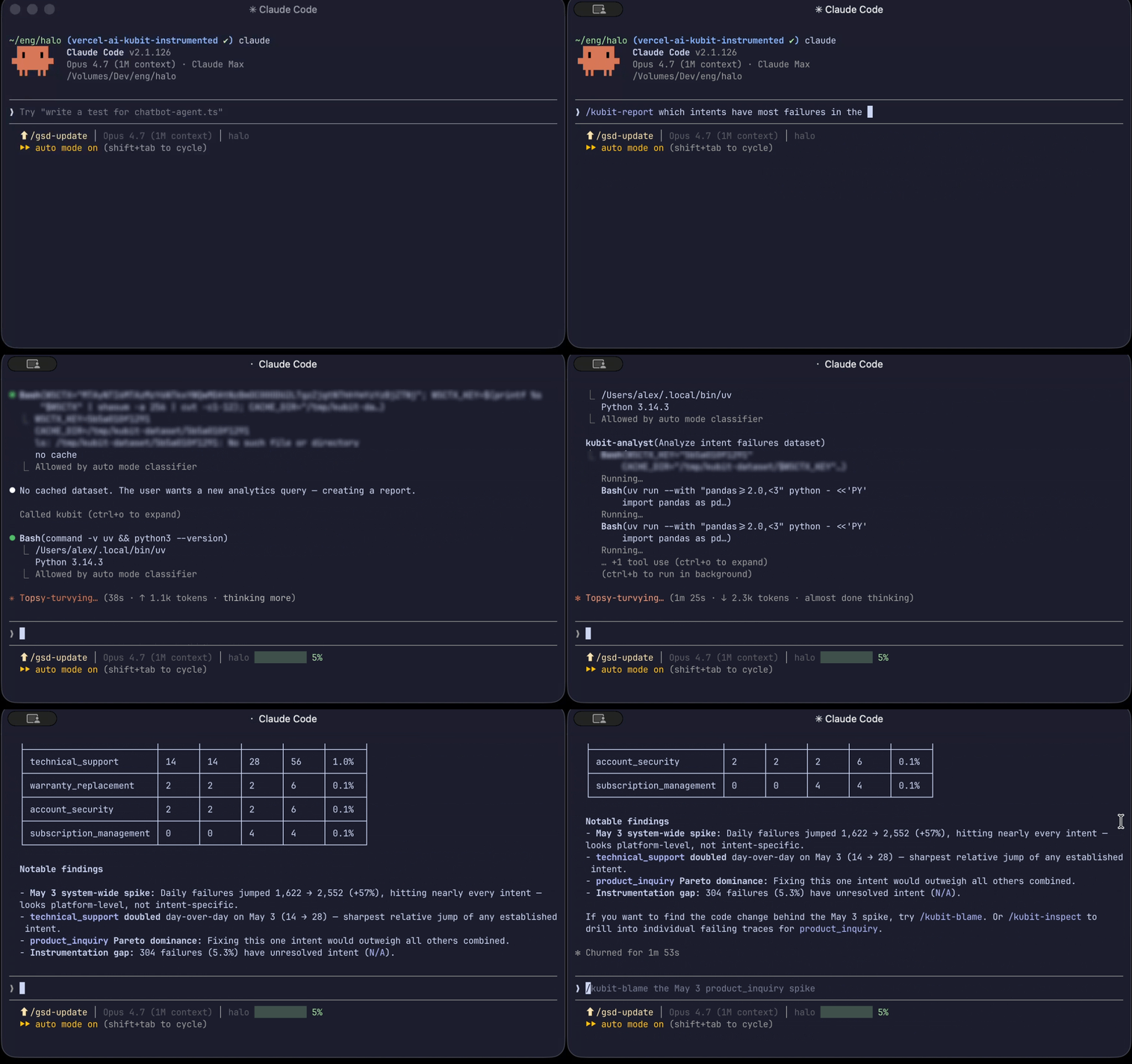
kubit-report is your tool for working with Kubit's analytics reports. Use it to surface aggregate patterns over time: funnel conversion, retention curves, model performance, intent distributions, cost trends, and so on.
Four report types are supported:
Type | Use it for |
|---|---|
Query | Slicing and aggregating traces/sessions on any dimensions or metrics |
Funnel | Step-through conversion (e.g. prompt → response → user retry) |
Flow | Path analysis across sequences of events |
Retention | Cohort retention over time |
You don't have to specify the type up front — kubit-report infers it from how you describe what you want.
Looking for specific records? Use kubit-inspect for individual users, sessions, traces, or events. kubit-report is for trends and aggregates.
Prerequisites
A connected workspace. Run kubit-connect first if you haven't already.
Usage
❯
/kubit-report<natural language query>
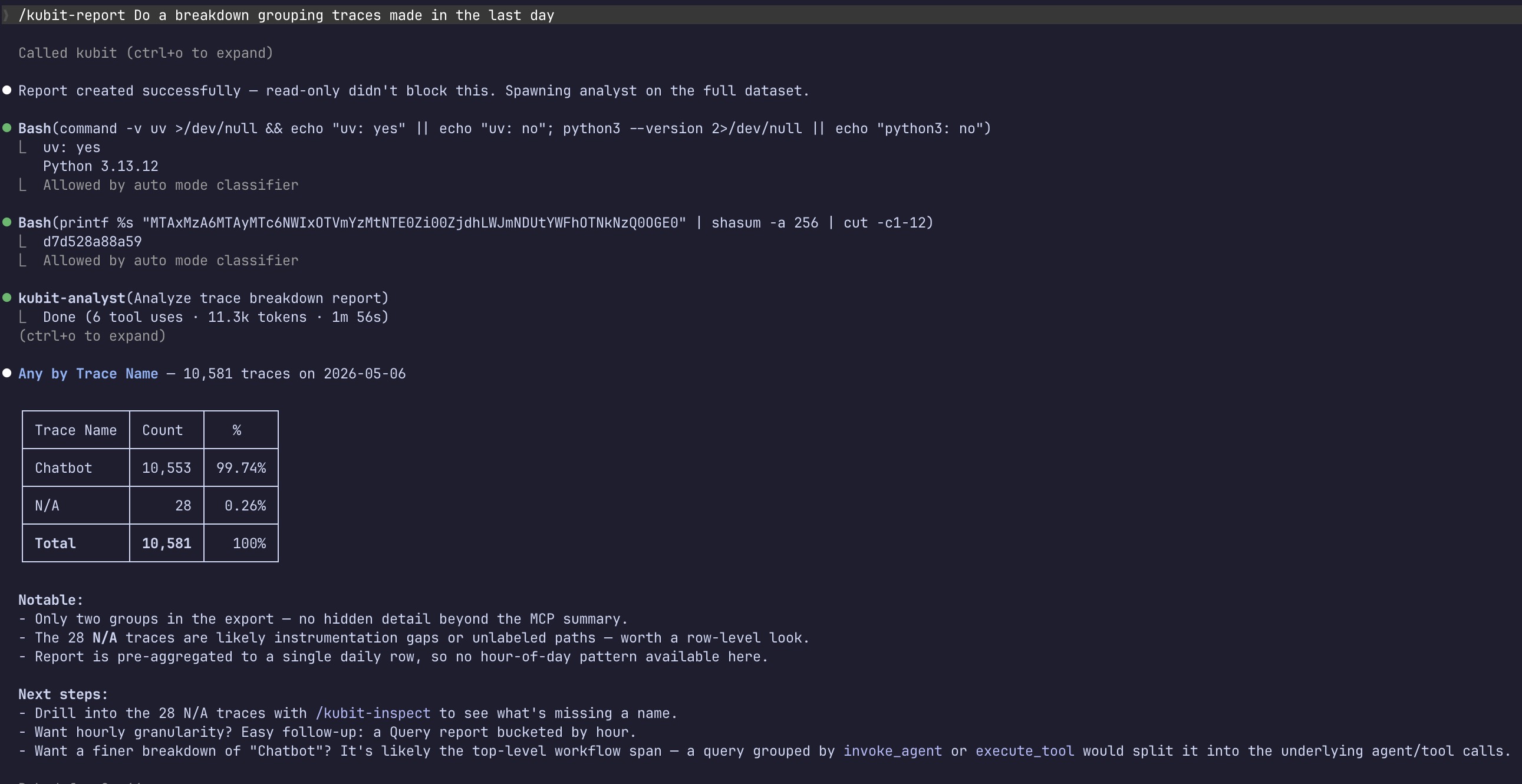
Describe what you want in plain language — id lookup, search terms, a new report to build, or a change to an existing one. Intent is inferred from your wording.
Examples
Open a specific report
❯
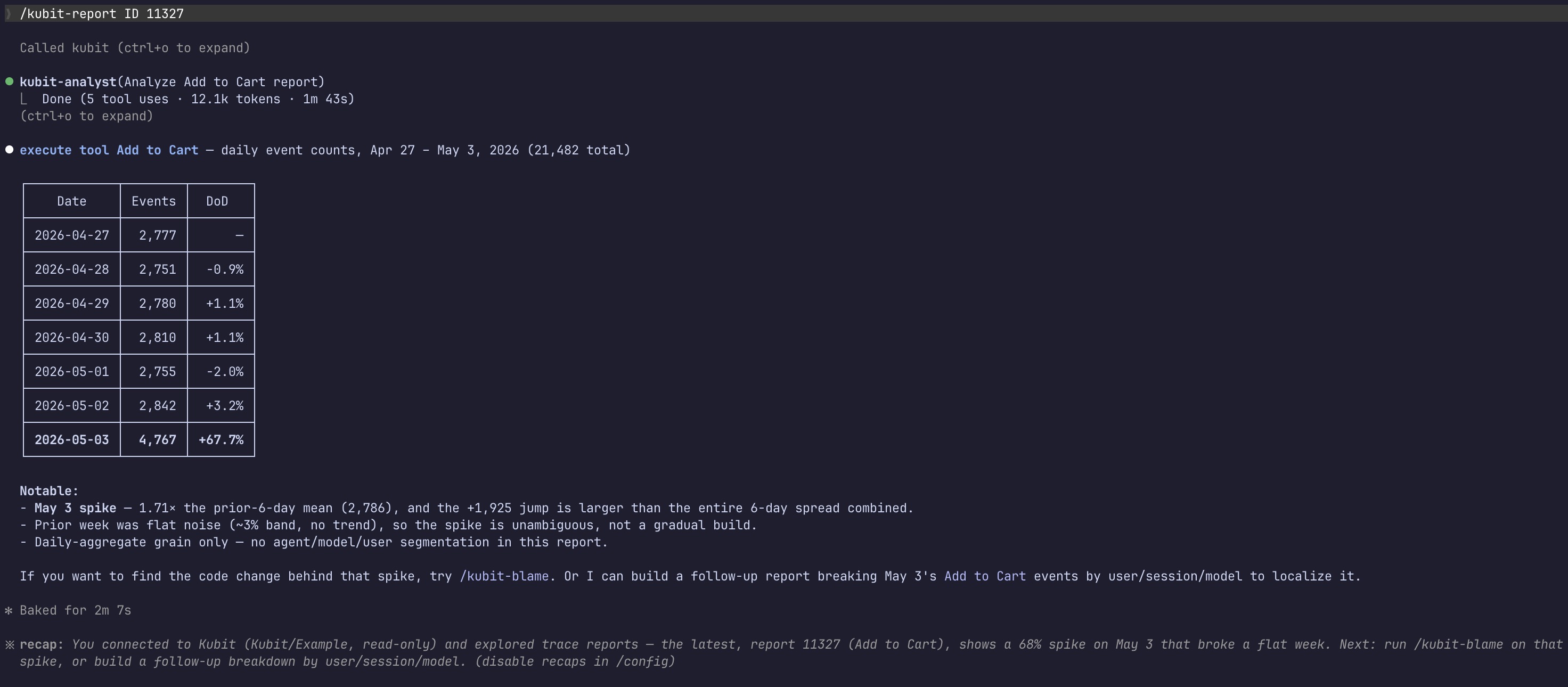
/kubit-report<report_id>
Opens the report and returns its current data, rendered as a clickable link.
Search by name or description
❯
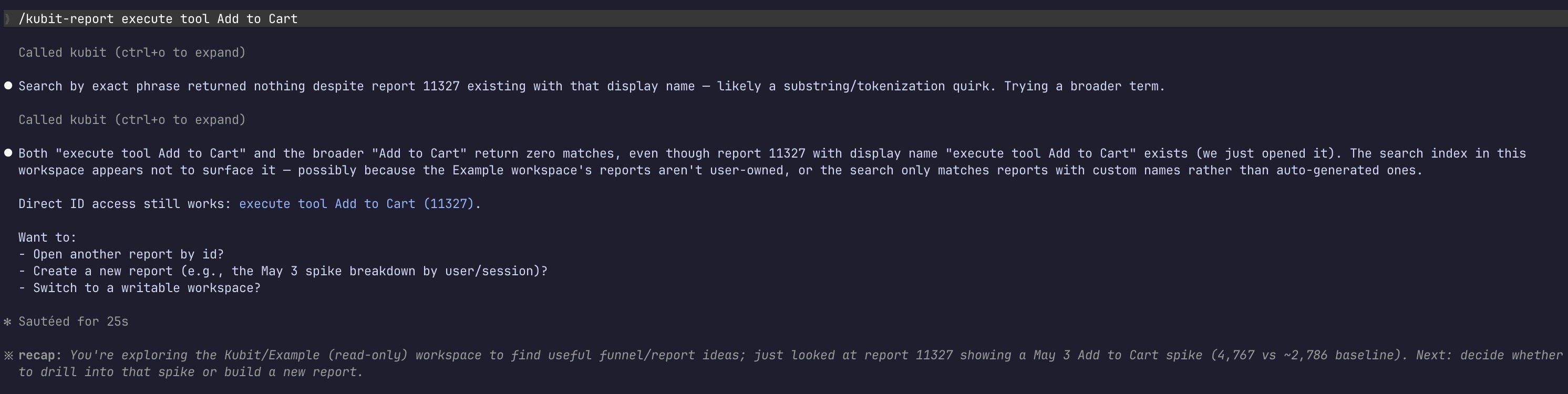
/kubit-reportPlace Order
One match → opens it directly.
Multiple matches → returns a short list (id, name, type) for you to pick from.
No matches → offers to broaden the search or create a new report.
Create a new funnel
❯
/kubit-reportbuild a funnel for user query → intent classification → tool call → response
Creates the funnel and returns the report data. Use arrows or plain language to describe steps — the wording is parsed for you.
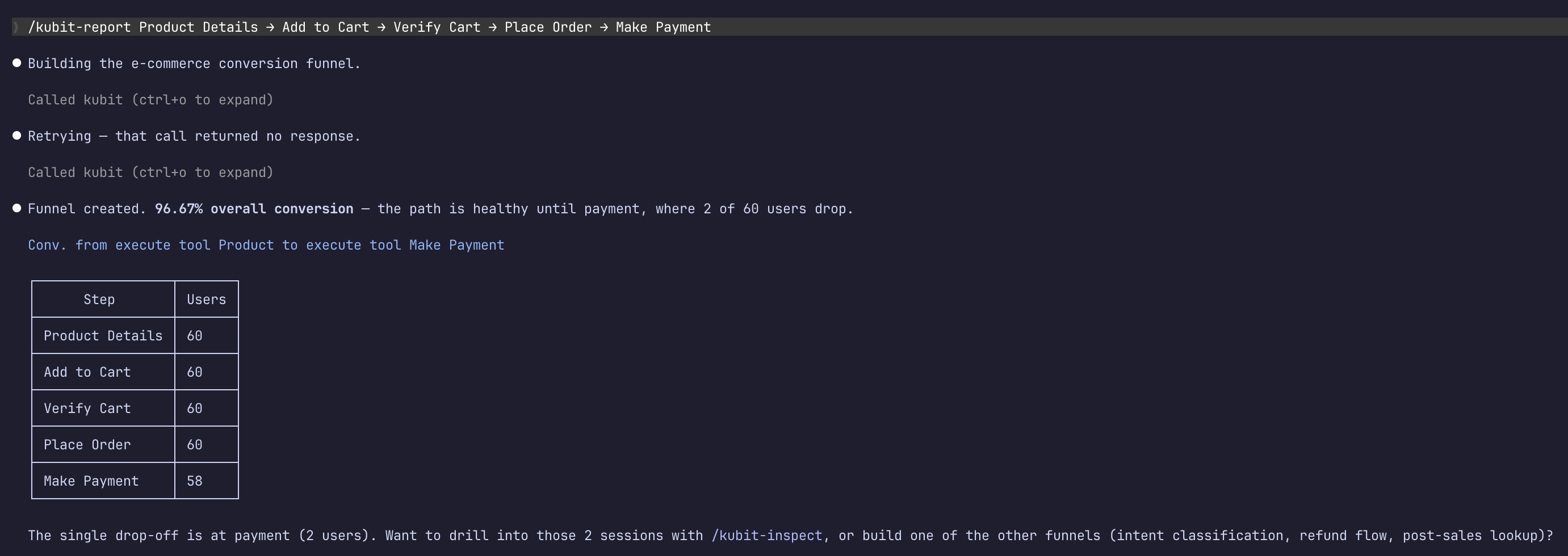
Create a report with inferred type
❯
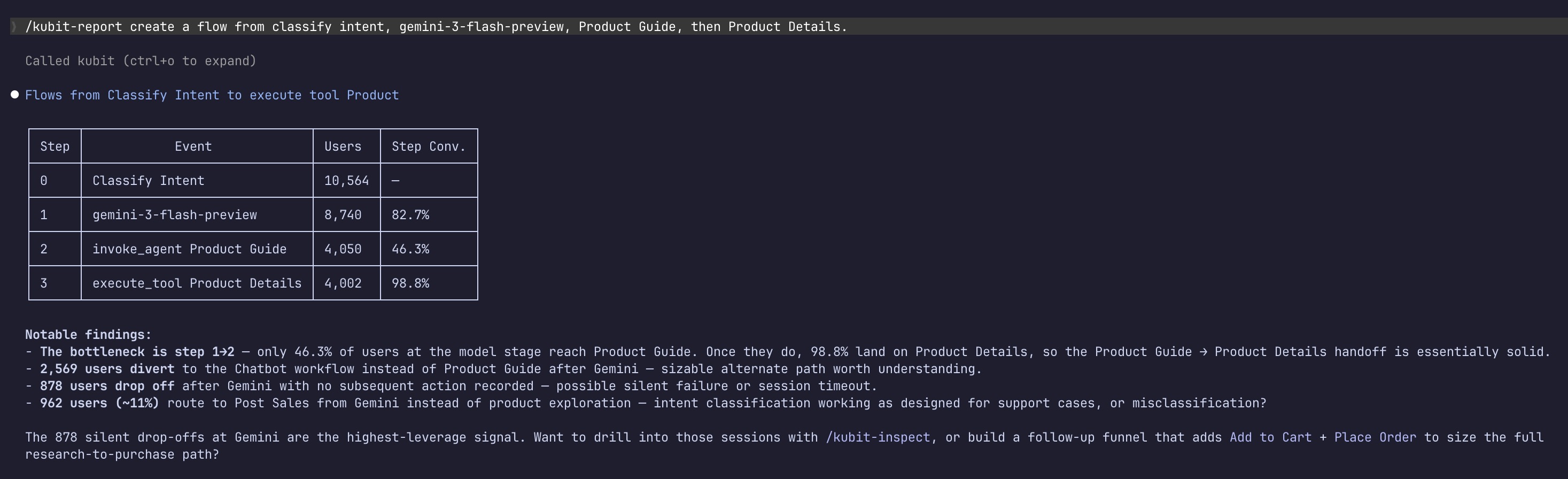
/kubit-reportcreate a weekly retention report for users with zero error in first session
You don't need to specify "retention" as the type — phrasing like "weekly retention" or "cohort over time" is enough. Same for funnels, flows, and queries.
The below screenshot is an example of report inferring the type (is a flow).
Modify an existing report
❯
/kubit-reportadd a breakdown by event hour of day to report ID
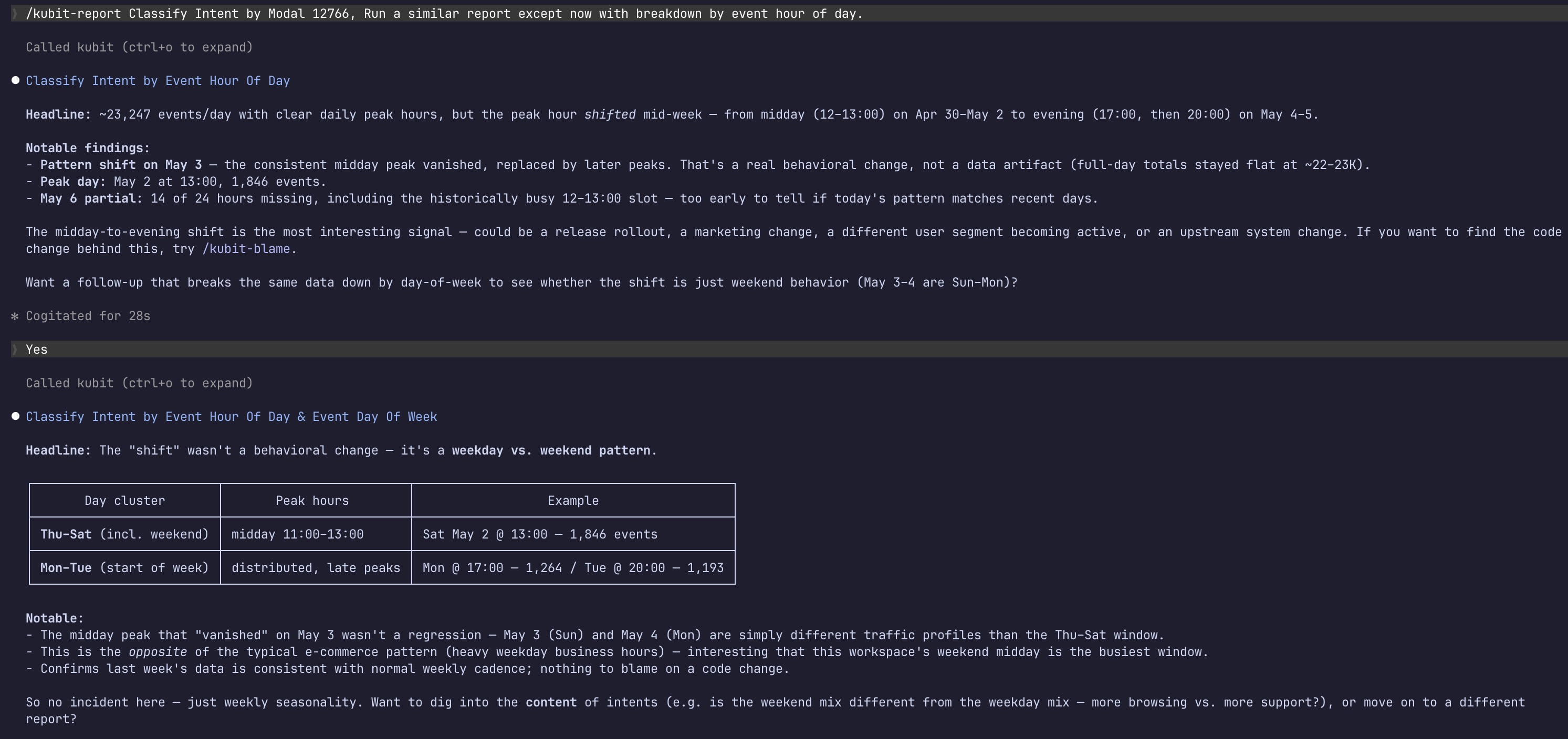
Modifications always create a new report with a new id — your original is preserved and untouched. Other modifications work the same way:
❯
/kubit-reportchange the date range on 10798 to last 30 days❯
/kubit-reportadd a step to funnel 10812 between the second and third
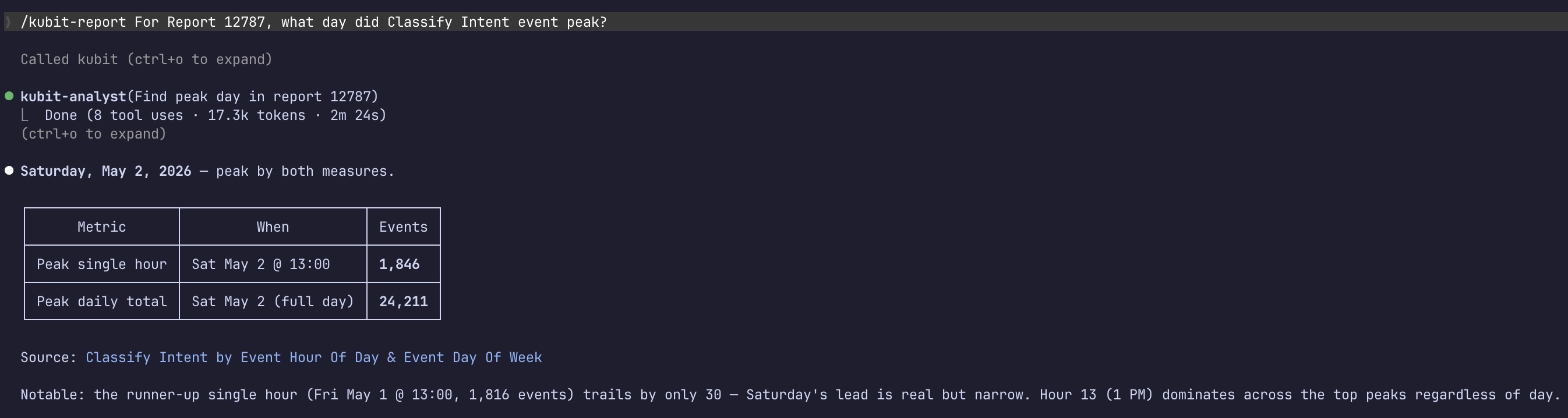
Ask follow-up questions
❯ For report 11192, which country has the most overall orders placed?
❯ Which date did the total order amount peak?
Follow-up questions that re-cut the same data reuse the cached results — they're faster and don't re-run the report.
Output behavior
Reports are returned as clickable links — you can open them in the Kubit UI directly from the response.
Modified reports always come back with a new id, with a note that the original is unchanged.
Large datasets are analyzed against the full export rather than a sample, so the numbers reflect the whole report, not just the first slice.
Suggested next steps
After a report runs, you may see follow-up suggestions:
Report contains... | Suggested next step |
|---|---|
Row-level data (traces, sessions, users) | Drill into specific records with |
Errors, regressions, or sentiment drift | Find the code change behind it with |
Aggregate-only data (retention curves, funnel rates) | No drill-down suggestion — row-level inspection isn't meaningful |
These are suggestions only — nothing runs automatically.
Notes
If a search is ambiguous,
kubit-reportsearches before creating — you'll never accidentally end up with a duplicate report.Clarifying questions from the report engine are relayed back to you as-is rather than guessed at.
Some reports don't support full-dataset analysis. When that's the case, you'll see a note that the summary is based on a limited sample.
To switch orgs or workspaces mid-session, run
kubit-connect—kubit-reportdoesn't manage workspace context itself.